
Use the Cash Accounts workspace to review, add, and maintain the accounts available to Cash Manager.
Cash Manager changes its available workspaces based on the selected account type, so account selection is the first step in most workflows.
A cash account controls:
That is why account selection appears in the left-hand navigation and drives the rest of the module.
Cash Manager recognises different account types.
In practical terms:
Cash accounts support payment and transfer workflowsAsset accounts support asset-entry workflowsDummy accounts support payment workflows without transfer handlingThis keeps each account focused on the kind of activity it is intended to model.
Use the Cash Accounts workspace when you want to create a new account.
For example, if the business wants to add a new Cash Box, this is where it is done.
The workspace includes a New account action so that a manager or administrator can add the required account directly inside Cash Manager.
Typical setup includes:
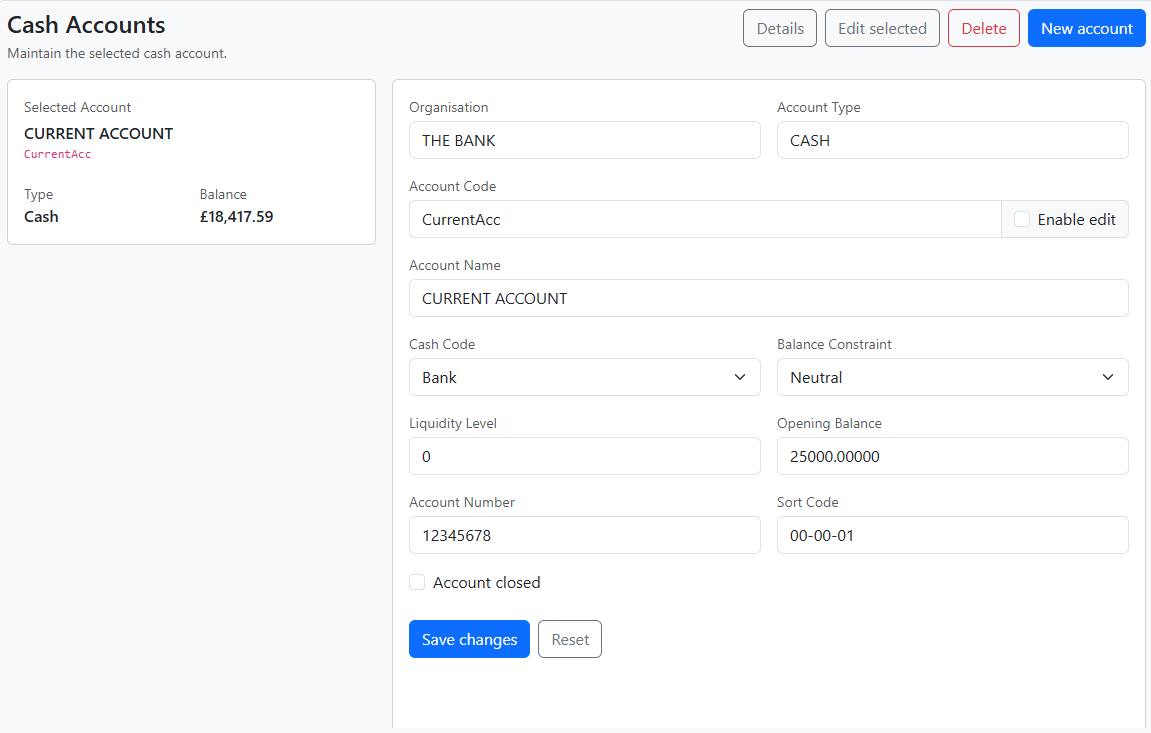
Use the Cash Accounts workspace when you want to:
Where permissions allow, the workspace also supports delete for eligible accounts.
Before entering or correcting activity, confirm:
This avoids making corrections in the wrong place.
When you change account selection, the Statement changes with it.
That means the Statement is always showing activity for the currently selected account and the currently selected scope.
Check the selected account type first. Some workspaces are available only for certain account types.
Use New account in the Cash Accounts workspace.
Change the account first, then return to the required workspace. The rest of the module will adapt automatically.


