
Use the Assets workspace when you are working with asset-account activity in Cash Manager.
This workspace exists because asset accounts are not handled in the same way as ordinary cash or dummy accounts.
Use it to:
Asset workflows are more structured than ordinary payment entry.
The Assets workspace supports several working modes.
These include:
This lets users work with both direct asset activity and structured follow-on adjustments.
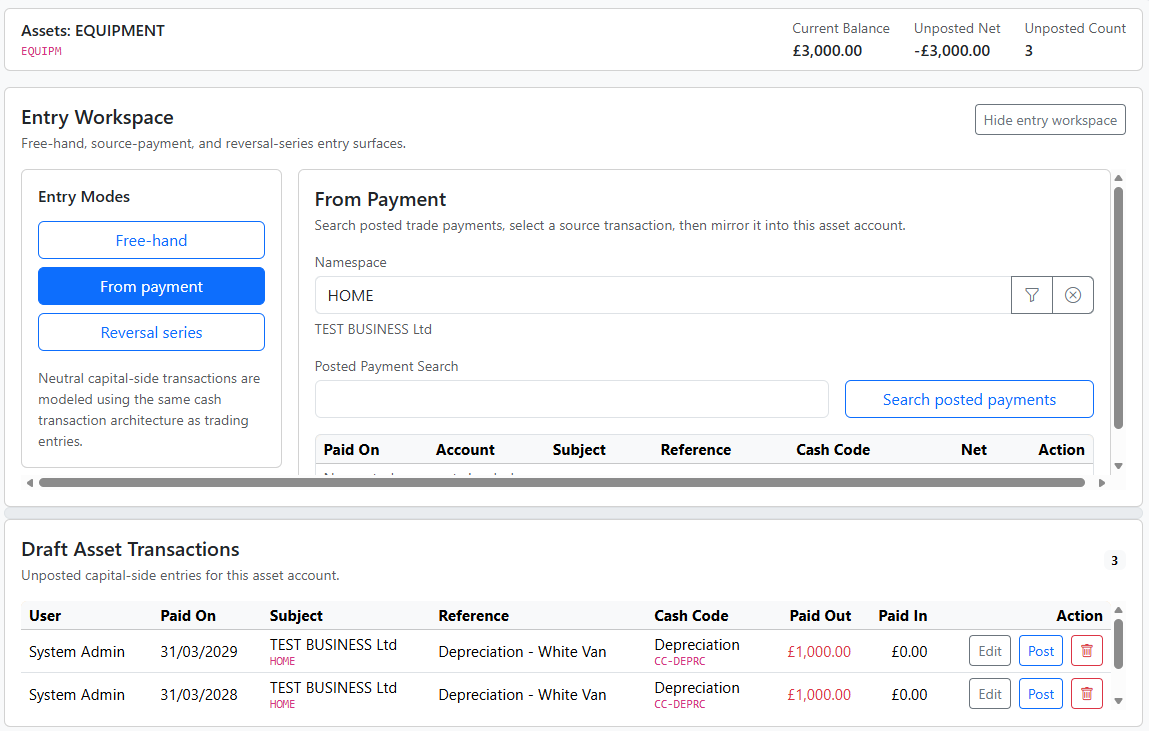
Reversals are an important part of the asset workflow.
Use reversals when the business needs to record posted or unposted depreciation adjustments against assets.
In practical terms, this is how users can manage depreciation-related reversal activity inside Cash Manager rather than through a separate asset screen.
The reversal series mode supports this structured workflow.
Posting is lightweight in most of Cash Manager, but it matters more in asset workflows.
That is because asset activity often depends on the transition from unposted spool activity into posted account history.
In practical terms:
A useful pattern is:
This is one reason the Statement remains the main landing view.
Asset-account activity often has a stronger reporting impact than ordinary ad hoc cash movement.
A safe working pattern is:
This usually means the selected account is not an asset account.
Use the asset workflow that matches the required entry pattern, including reversal series where depreciation reversals are required.
This may mean unposted asset activity is still visible in the spool and has not yet been committed into posted history.


