
Namespace mode is where you build and maintain structure.
Use it to organise Subjects into meaningful business relationships.
A namespace is the path that places a Subject into context.
That context may represent:
In many systems, a contact sits in one tree position only.
Trade Control uses a directed acyclic graph, or DAG. In practice, that means:
This is powerful, but it is also important to understand before restructuring data.
You can model departments and locations such as:
Manufacturer.PlantA.ProductionManufacturer.PlantA.Production.MaintenanceManufacturer.PlantA.Production.Stores.PrimaryMaterialsManufacturer.PlantA.Production.Stores.ComponentsManufacturer.PlantA.Production.ToolRoomManufacturer.PlantA.Production.ShopFloorManufacturer.PlantA.Production.Warehouse.GoodsInwardsManufacturer.PlantA.Production.Warehouse.DespatchYou can also place people into that same structure:
Manufacturer.PlantA.Production.ToolRoom.AndySmithManufacturer.PlantA.Production.Warehouse.Despatch.JoeJonesManufacturer.PlantA.Production.Warehouse.Despatch.AmyJohnsonDepending on the selected Subject and path, Namespace mode can provide:
Add StructuralAdd PersonAdd OrganisationAdd ExistingMoveDefaultRemoveThese actions create a new child under the selected namespace instance.
Use them when you want to grow the structure from the current point.
Add Existing adds an already existing Subject to the selected namespace. It can also be carried out using CTL + drag and drop.
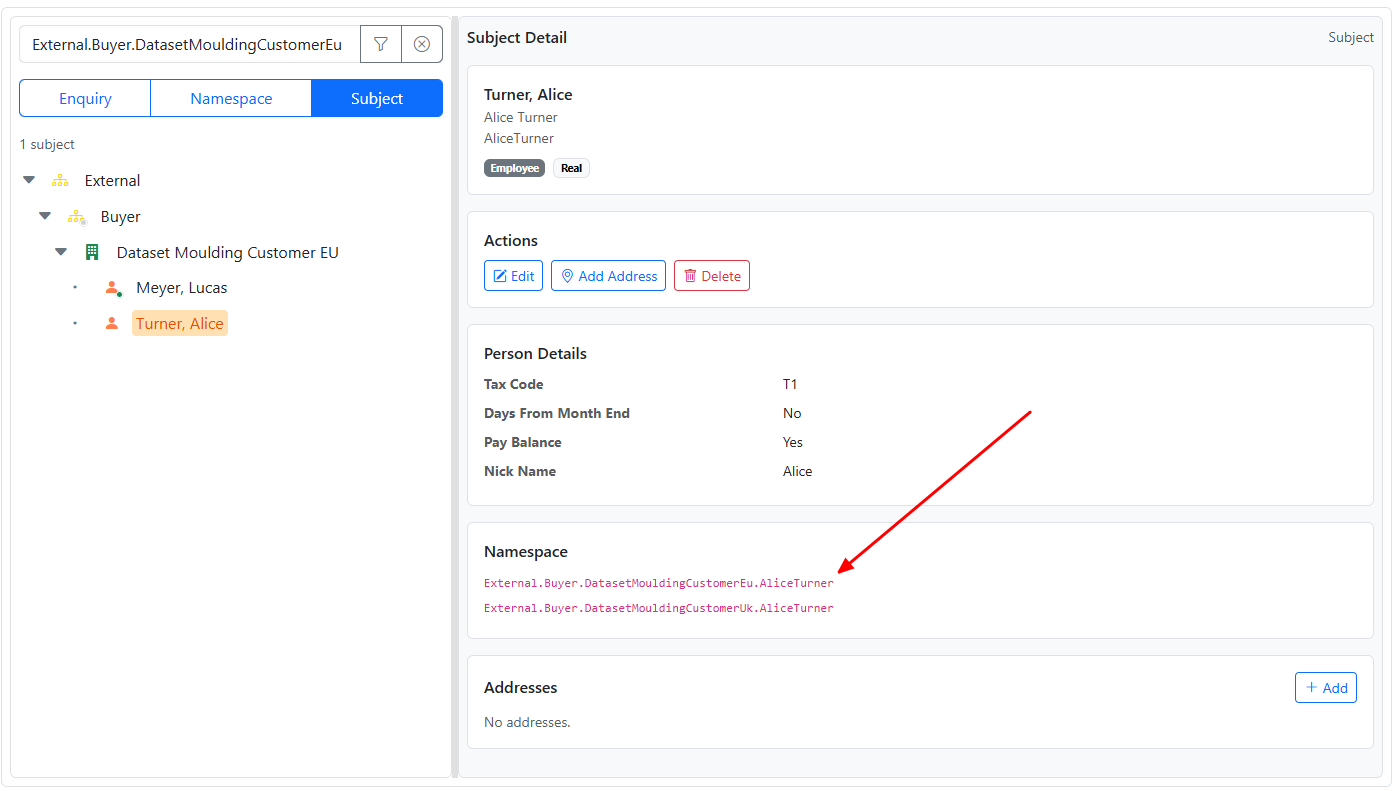
This is one of the clearest examples of the DAG model. Instead of copying a Subject, you add another relationship to it.
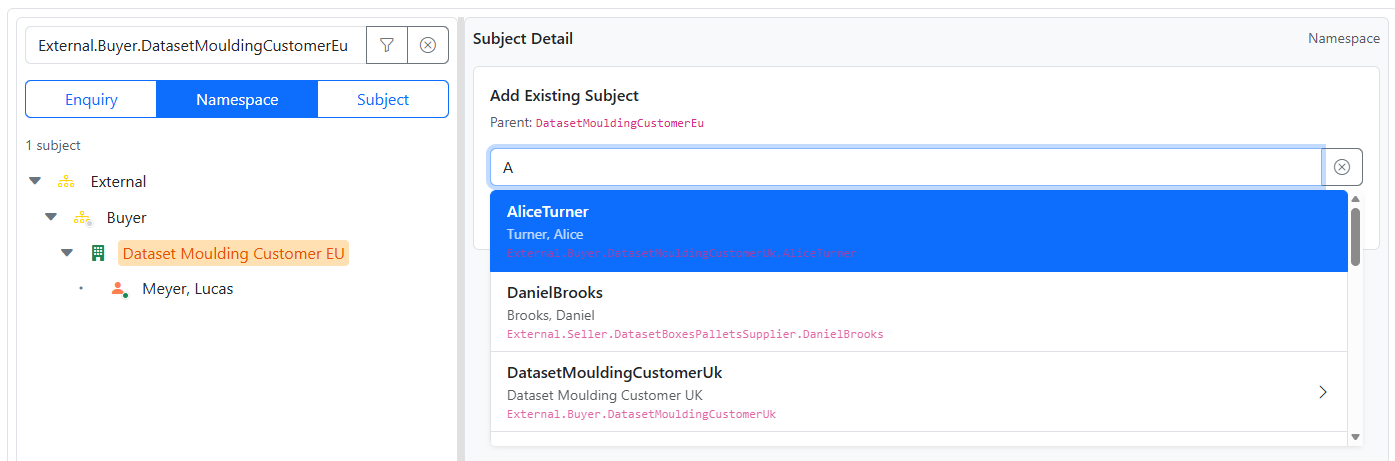
A person, for example, can then participate in two businesses without duplication, and yet their respective activities are clearly distinguished.
Move reparents the selected namespace instance to a new parent.
This changes the namespace relationship for the selected path.
Default marks the selected child as the default child for its parent in that namespace.
Default is a property of the relationship, not of the Subject itself.
That means the same Subject can be default under one parent and not default under another.
The default is identified by a small glyph on their icon, coloured according to name class.
Remove removes the selected namespace relationship.
If that relationship is the last path to a detached closure, the system may warn that the delete would affect more than one Subject.
A preview is shown before confirmation.
In Namespace mode, drag and drop can be used to change relationships.
The exact result depends on where the Subject is dropped:
Always review the resulting path and detail pane after the operation.


