
Subject mode is where you maintain the selected Subject itself.
Use it to edit details, manage addresses, and delete Subjects where allowed.
Depending on the selected Subject, Subject mode can provide:
EditAdd AddressDeleteThe edit action opens the appropriate editor for the selected Subject class:
Real for peopleVirtual for organisationsStructural for structural nodesEach editor is tailored to that Subject class.
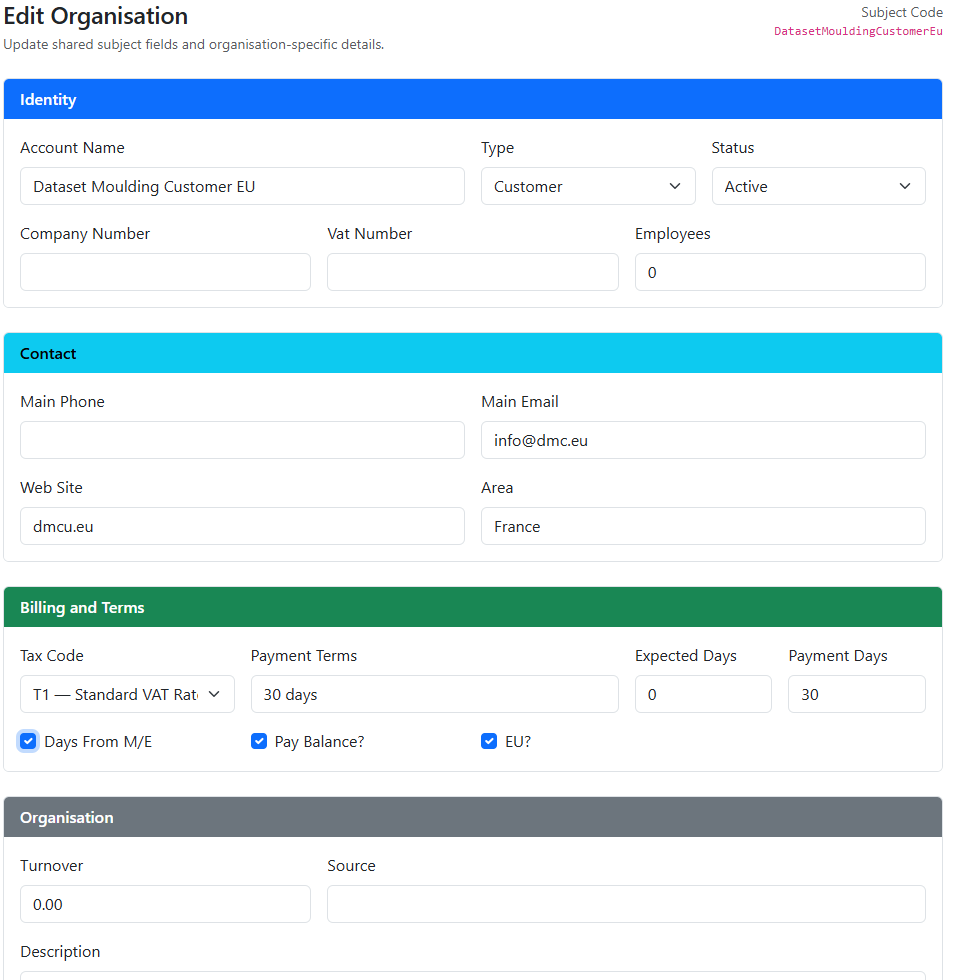
Typical editable fields include:
The Subject Code remains the stable identity and is not changed during normal editing.
On desktop:
On mobile:
Delete is available where the selected Subject can be removed safely.
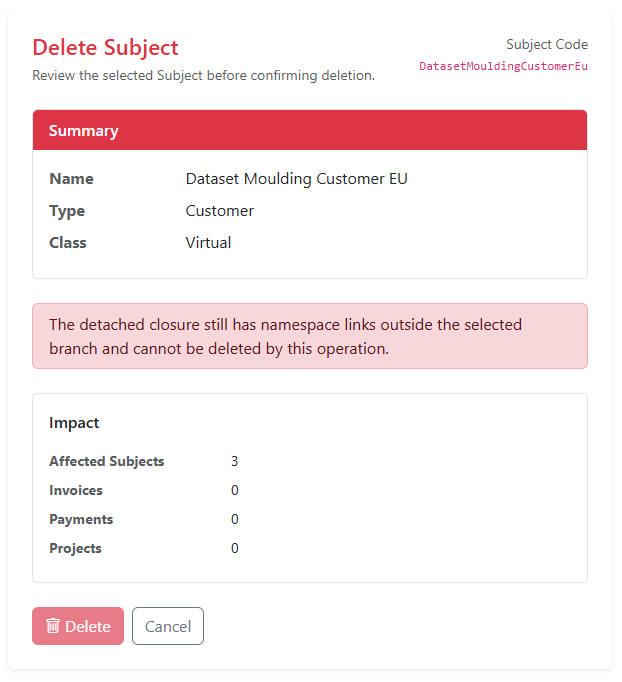
Deletion uses the namespace rules and may remove:
A confirmation page shows the expected impact before the delete is allowed.
A root Subject is a Subject with no parent namespace relationship.
Deleting a root can cascade through its detached closure. This is useful when you want to remove a top-level business structure without manually deleting every child first.
Deletion is still blocked if the detached closure contains:
Before editing or deleting:


