
Subject Browser includes address management for Subjects that support addresses.
Addresses are stored as free-form text and are shown directly in the Subject details view.
In Subject mode, address actions can include:
AddEditSet DefaultDeleteStructural Subjects do not use address maintenance.
The details pane shows all addresses for the selected Subject.
The current default address is clearly marked.
No postcode or country breakdown is required for ordinary use. Addresses are stored and displayed as free-form text with line breaks preserved.
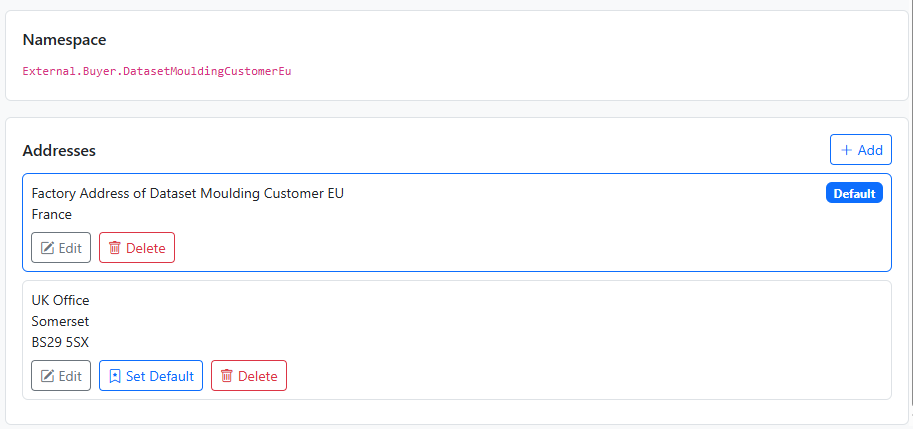
Use Add to create a new address for the selected Subject.
If the Subject does not yet have a default address, the first address becomes the default automatically.
Use Edit on an existing address to update the free-form address text.
Editing an address does not change which address is the default.
Use Set Default on a non-default address to make it the active default for that Subject.
Use Delete to remove an address that is no longer required.
Delete may be blocked if the address is referenced by one or more projects.
When delete is blocked, the browser shows that the address is in use and the delete action is disabled.
This guard exists to protect linked business data.
If an address is already being used by a project, removing it could leave the project in an invalid state.


