
The Raise workspace is used to prepare invoice content before it is published to the live Invoice Register.
Use it to create, review, and organise invoice activity in a private working area before posting invoices into the operational system.
The Raise workspace supports the preparation stage of the invoice lifecycle.
Invoices can be created, reviewed, and amended without affecting the live Invoice Register.
This allows invoice content to be assembled and verified before it becomes part of operational reporting and customer-facing workflows.
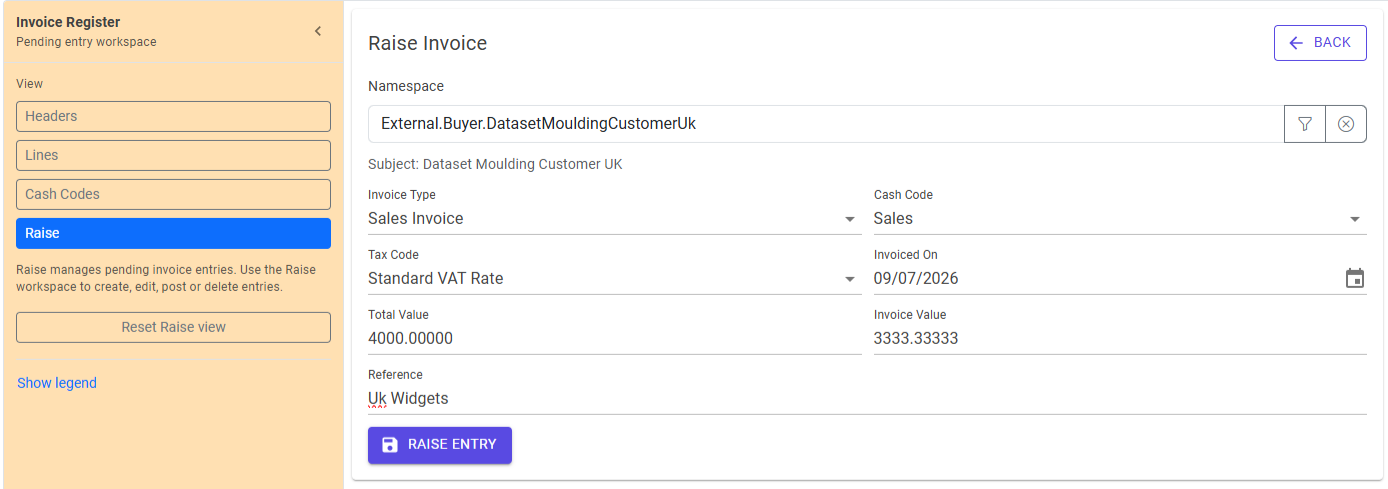
Invoice preparation takes place in two stages.
Draft invoices are still under preparation.
They can be reviewed, amended, organised, and validated without affecting the live Invoice Register.
Draft invoices may originate from manual entry, imported data, or other business processes depending on how Trade Control is configured.
Posting publishes invoice activity to the live Invoice Register.
Once posted, invoices become available for:
Posting represents the transition from preparation to operational use.
The Raise workspace provides the information required to prepare invoice content.
Depending on configuration and business process, this may include:
The objective is to produce complete and accurate invoice content before posting.
Pending invoices remain available for review while they are in draft status.
This allows invoice batches to be assembled over time and checked before publication.
Common review activities include:
This review stage helps reduce errors before invoices enter the live register.
Posting transfers invoice activity into the live Invoice Register.
Depending on the task being performed, invoices may be posted:
Once posted, invoice activity becomes available throughout Invoice Register and participates in reporting and submission workflows.
Invoice preparation is namespace-aware.
Where the same Subject participates in multiple business activities, the selected namespace determines the organisational context in which invoice activity is prepared and managed.
This helps ensure invoice information remains aligned with the correct business process.
The Raise workspace is the beginning of the invoice lifecycle.
A typical progression is:
The same invoice may pass through several stages before it reaches its final submitted state.
On mobile devices, Raise uses a single-column workflow.
Invoice preparation activities remain available, while navigation follows the mobile detail flow.
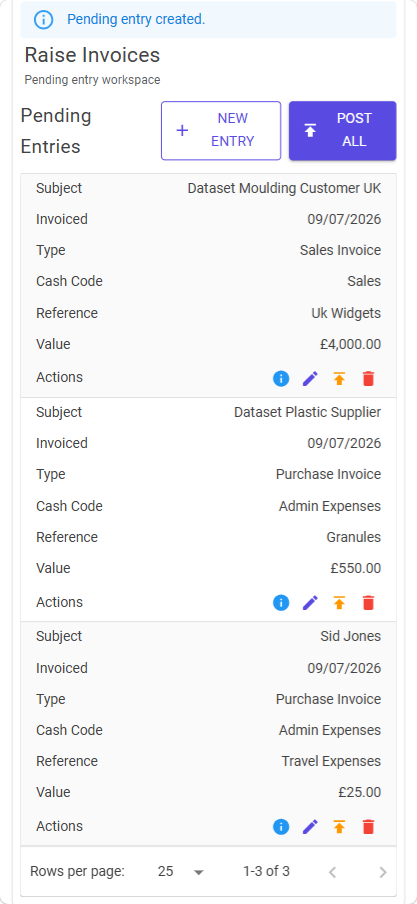
Check:
Only posted invoices appear in the live Invoice Register.
Review whether the invoice is still in draft status.
Review:
before posting.