
The Grid is the main working view in Invoice Register.
Use it to review invoice activity, apply filters, inspect invoice details, and navigate invoice records.
The Grid combines the selected year, period, namespace, and filters into a single working view.
Depending on the selected perspective, it can display:
The Grid is the place to review invoice activity before creating, editing, or submitting invoices.
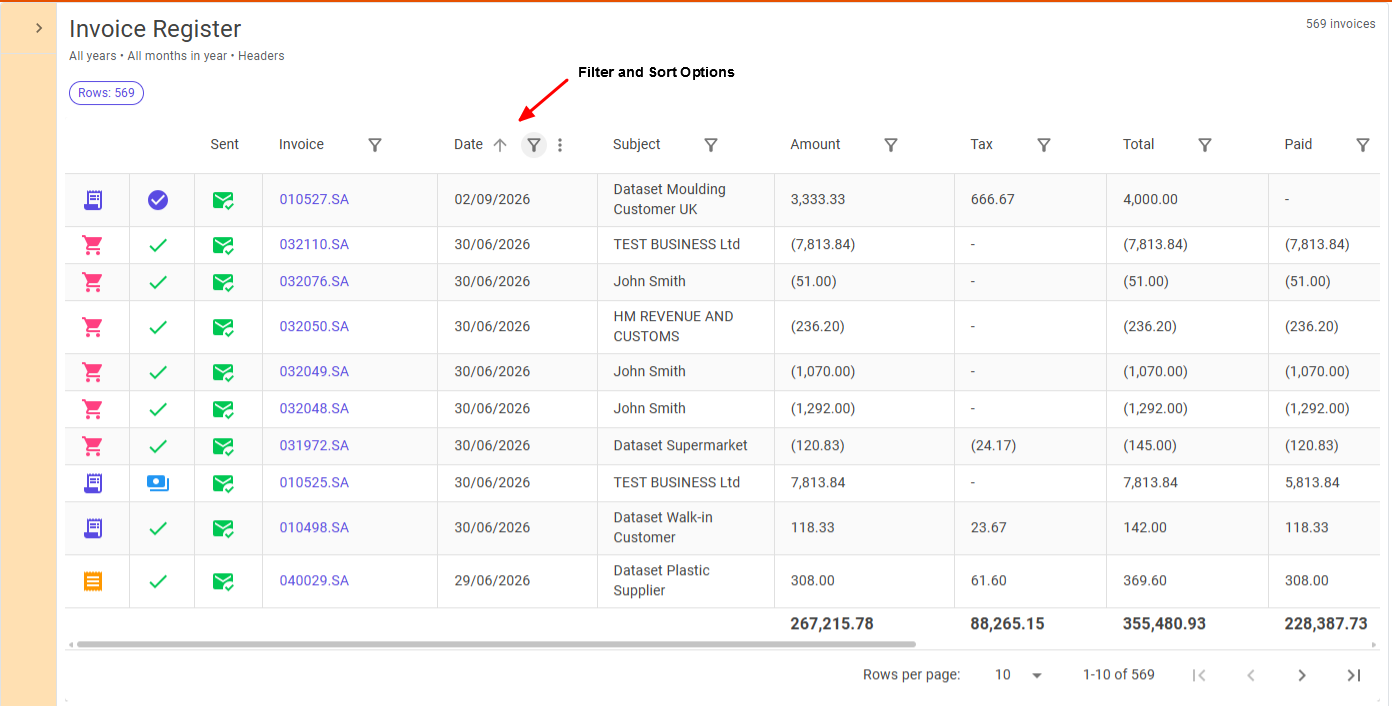
You can narrow the Grid by:
Filters affect only the visible result set and do not change underlying invoice data.
Use namespace filtering when working within a specific business path.
Use cash-code filtering when reviewing a particular revenue stream.
The Grid supports multiple perspectives on the same underlying invoice data.
Header view presents one row per invoice.
Use this view when you want to:
Lines view presents individual invoice lines.
Use this view when you want to:
Cash Code view groups invoice activity by cash code.
Use this view when you want to:
Invoice details can be opened directly from the Grid.
When an invoice is selected, the Grid preserves the current filter and paging context so that you can return to the same working position afterwards.
This makes it possible to investigate invoice activity without losing your place in the current result set.
Summary totals are recalculated from the currently visible rows.
This means totals always reflect the active filters and selected view.
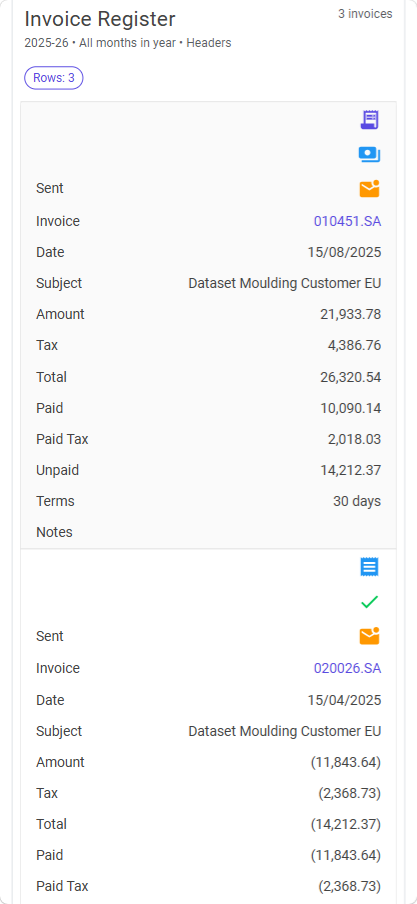
On mobile, the Grid becomes a single-column detail view.
The same information is available, but records are presented as stacked cards and navigation uses the mobile detail flow.
Check:
Totals are calculated from the visible rows only.
Check whether filters are currently active.
The Grid preserves the active filter and page context when returning from invoice enquiry or editing.
If the invoice is still not visible, review the active filters.