
The Edit workspace is used to review and maintain invoices that have been posted to the Invoice Register.
Use it to update invoice information, maintain invoice content, correct business information, and review the current position of an invoice throughout its lifecycle.
The Edit workspace provides access to invoice information after it has been posted from the Raise workspace.
Posted invoices remain available for review and maintenance, allowing invoice records to remain aligned with the underlying business activity they represent.
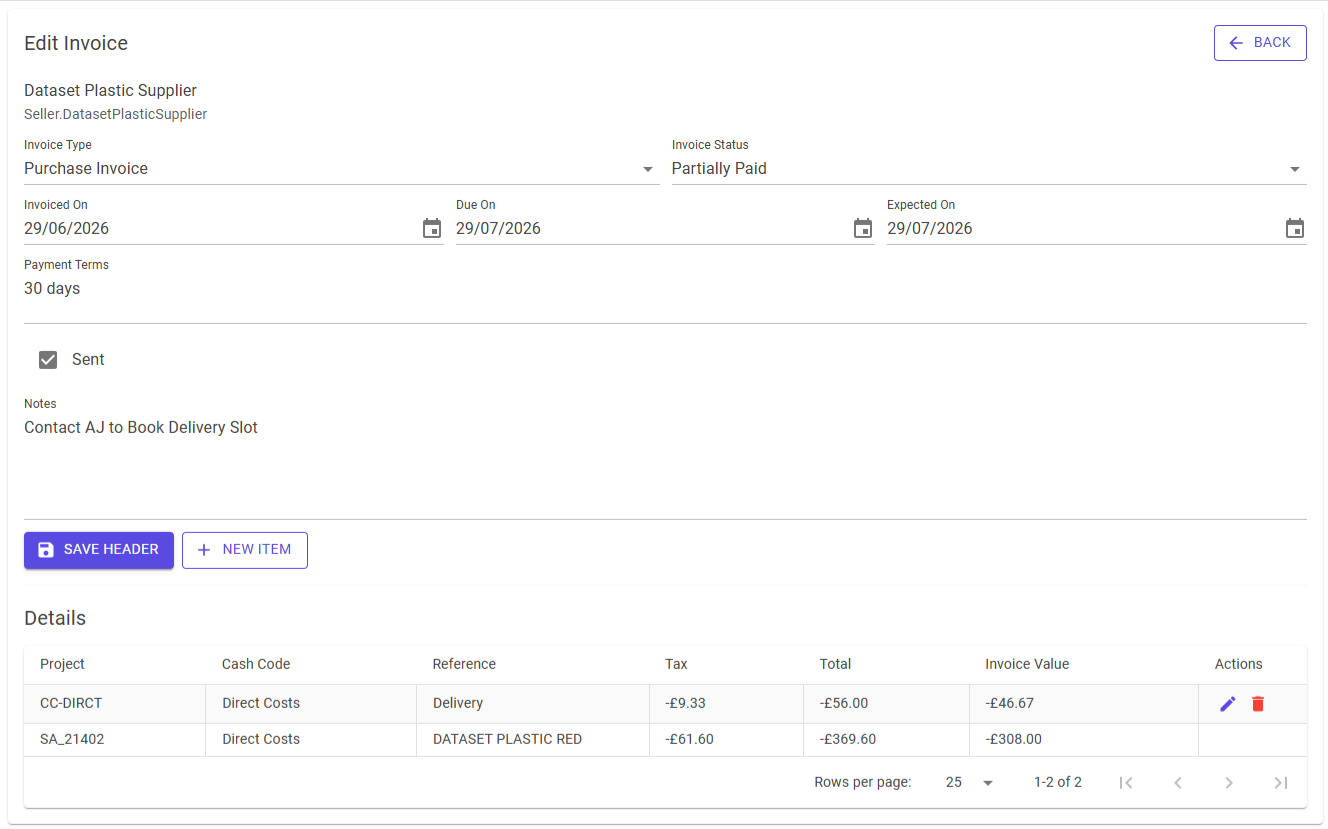
The invoice header contains the primary information associated with an invoice.
Depending on configuration, this may include:
Header information provides the context for the invoice and can be reviewed and updated when required.
Invoice items define the content and value of the invoice.
Each item may contain:
Invoice items can be added, reviewed, amended, or removed as business requirements change.
The Edit workspace is used to ensure invoice information accurately reflects the underlying business activity.
Examples include:
Corrections should reflect the actual business transaction being recorded.
Maintaining accurate business information helps ensure reporting and account balances remain consistent with operational reality.
Invoice status reflects the current business position of an invoice.
Status information is derived from invoice activity and related transactions rather than maintained independently.
Examples include:
As business activity occurs, invoice status updates automatically to reflect the resulting position.
This helps ensure that reporting and operational views remain aligned with the underlying transaction history.
Invoices may progress through several stages during their lifecycle.
The Edit workspace provides a central location for reviewing invoice information and understanding the current position of an invoice.
This allows users to investigate discrepancies, review operational notes, and confirm that invoice records remain accurate over time.
Invoice Register maintains a live view of invoice activity.
Because reporting, balances, and operational views are derived from invoice information, changes made to an invoice may affect the resulting business position.
Review amendments carefully and ensure they accurately represent the underlying transaction before saving changes.
When editing is complete, return to the Data Grid to continue working.
The Grid preserves the current working context, allowing invoices to be reviewed and maintained without losing place in the active result set.
On mobile devices, Edit uses a single-column workflow.
Invoice information remains available while navigation follows the mobile detail flow.
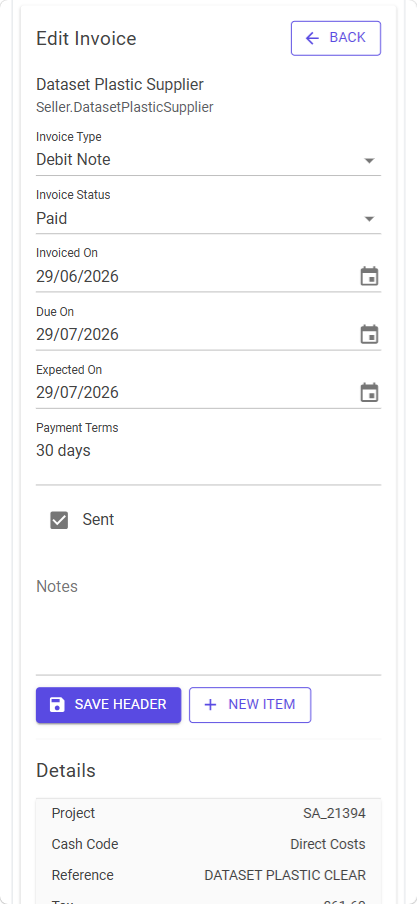
Open the invoice in Edit and update the information so that it accurately reflects the underlying business activity.
Create or amend invoice items and review the resulting invoice values before continuing.
Invoice status reflects related business activity and transactions.
Review recent activity associated with the invoice to confirm the current position.
Reporting reflects the current state of invoice information.
Review recent amendments to confirm that the invoice now represents the intended business outcome.