
The Synthetic Datasets module replaces the current business data with a prepared demonstration dataset so you can explore Trade Control with realistic sample activity.
Use this module to:
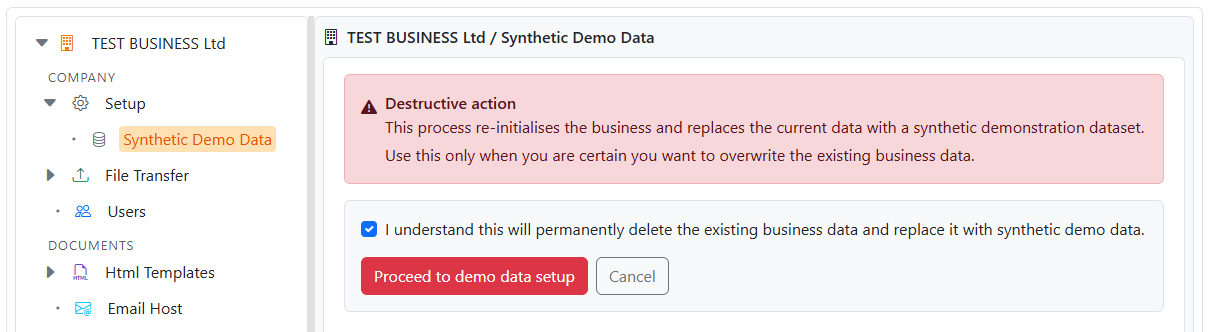
Important: This is a destructive action. It re-initialises the business and replaces the current data with synthetic demo data.
Open:
On desktop, the module opens in the right-hand pane. On mobile, it opens as a full-screen view.
Use this module only when you are certain the current business data can be overwritten.
This process is intended for:
It is not intended for live production data.
The first screen is a confirmation step. You must explicitly confirm that the current business data will be permanently replaced before you can continue.
The setup screen lets you choose the configuration that will be used to rebuild the node.
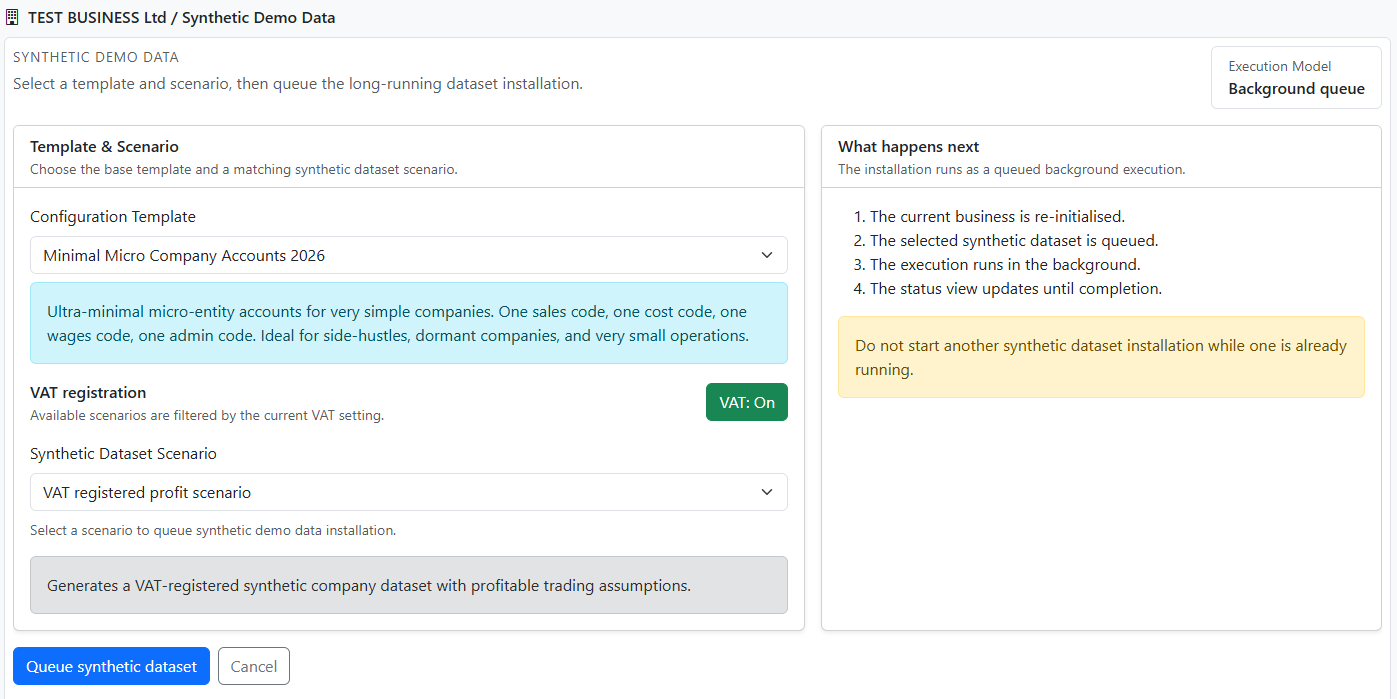
Set:
The available scenarios depend on the selected template and VAT setting.
Select Queue synthetic dataset to start the process.
Trade Control creates an execution record and shows the status view so you can monitor progress.
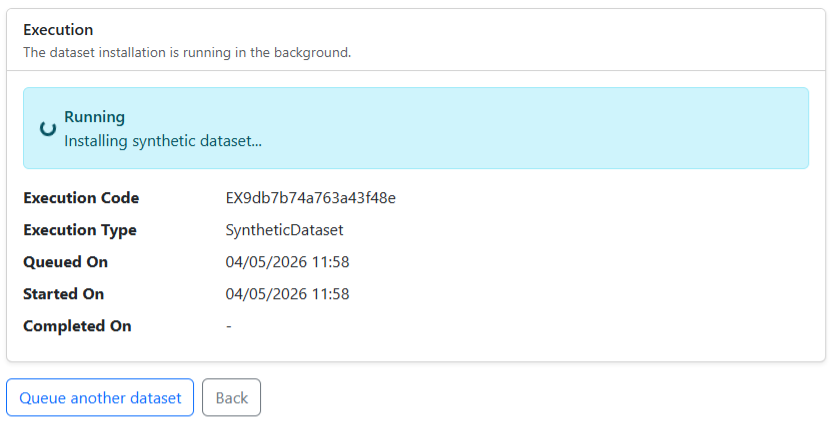
The status view shows:


