Node Initialisation

Node initialisation configures the Trade Control business entity node and creates the baseline configuration required to use the application.
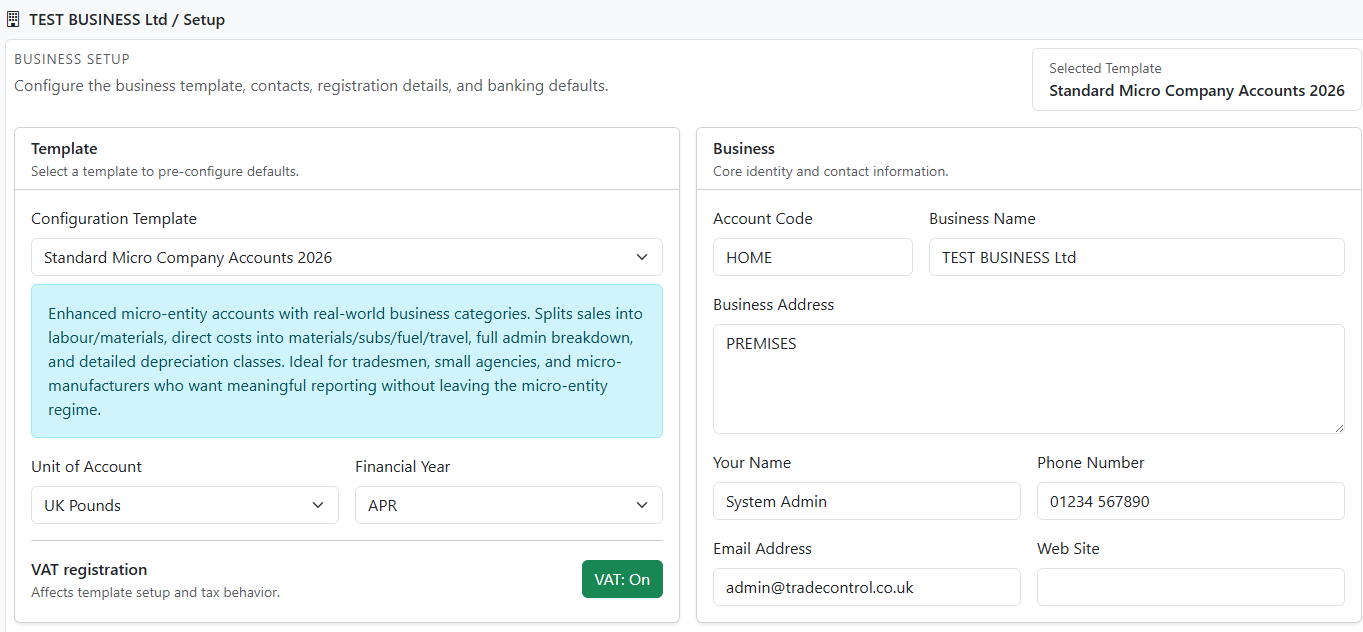
Configuration Screenshot

When this page appears

On first connection to a new (empty) database, Trade Control automatically redirects to the Business Setup form from TradeControl.Web.Pages.IndexModel.OnGetAsync().

This is expected during deployment and first-run setup.

What the form does

When you submit the form, Trade Control runs the node configuration and baseline setup procedures using the values you provide.

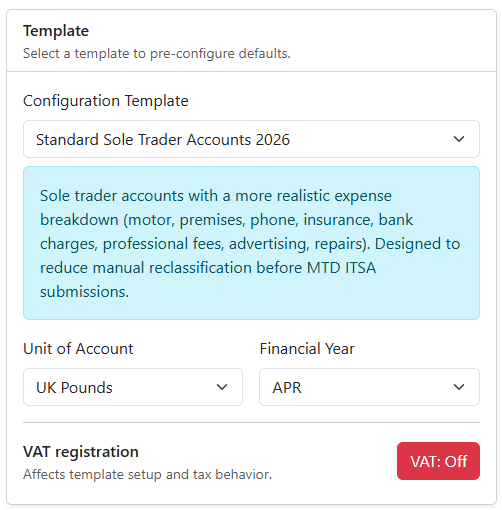
The most important choices are the Initialisation Template, which controls what configuration is installed, and your Period End date. All other settings are easily modified later, but these two settings determine the initial configuration of the business node and how the accounting model will interpret transactions.

The template you select determines how the business is configured. For example:

For more information, consult:

Form sections

Template

Business Template and Unit of Account

Use this section to select the template rule set, Unit of Account and financial year start month.

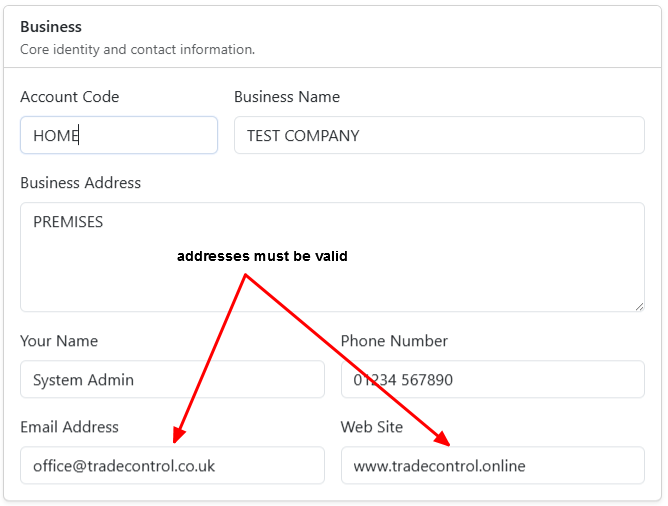
Business and Primary Contact

Business Identity

Use this section to define the business identity (account code, name, and address), business owner/administrator contact details.

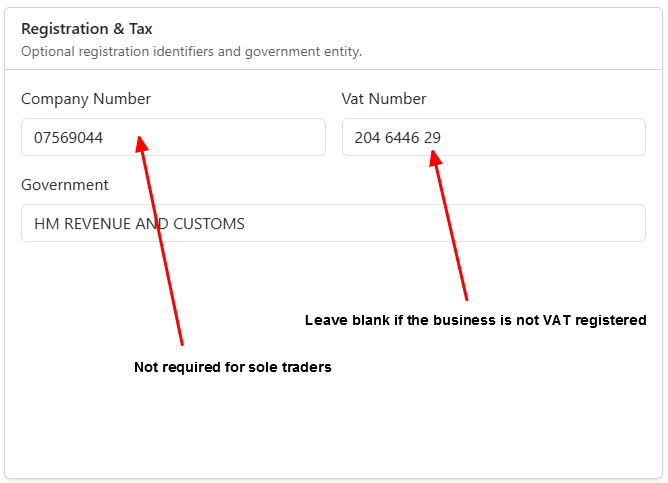
Registration & Tax

Registration and Tax

Use this section to record optional company and VAT identifiers and confirm the default government/tax authority entity name.

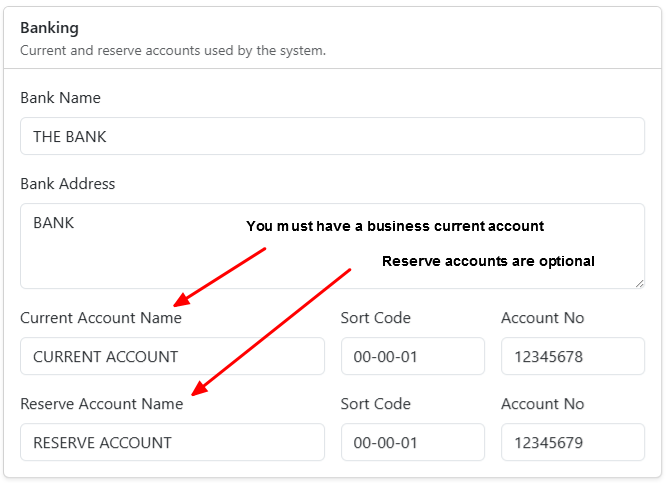
Banking

Bank Details

Use this section to set the default current and reserve account details used by the accounting model. If you do not have a reserve account, you can leave these fields blank. Additional reserve accounts can be added later.

Important: Sole Traders cannot use their own personal bank account because the system reconciles business and bank transaction balances. If your business does not have a current account, create a new account with your bank and use those details here. It will also reduce your dependency on receipts to near zero.

Tips

Although every setting can be retrospectively modified, it’s best to enter correct values from the outset to avoid unnecessary reconfiguration later.