
Event Viewer is the diagnostics module inside Admin Manager.
Use it to review application events, inspect full error messages, submit support requests for selected errors, and archive older entries where you have permission.
Open:
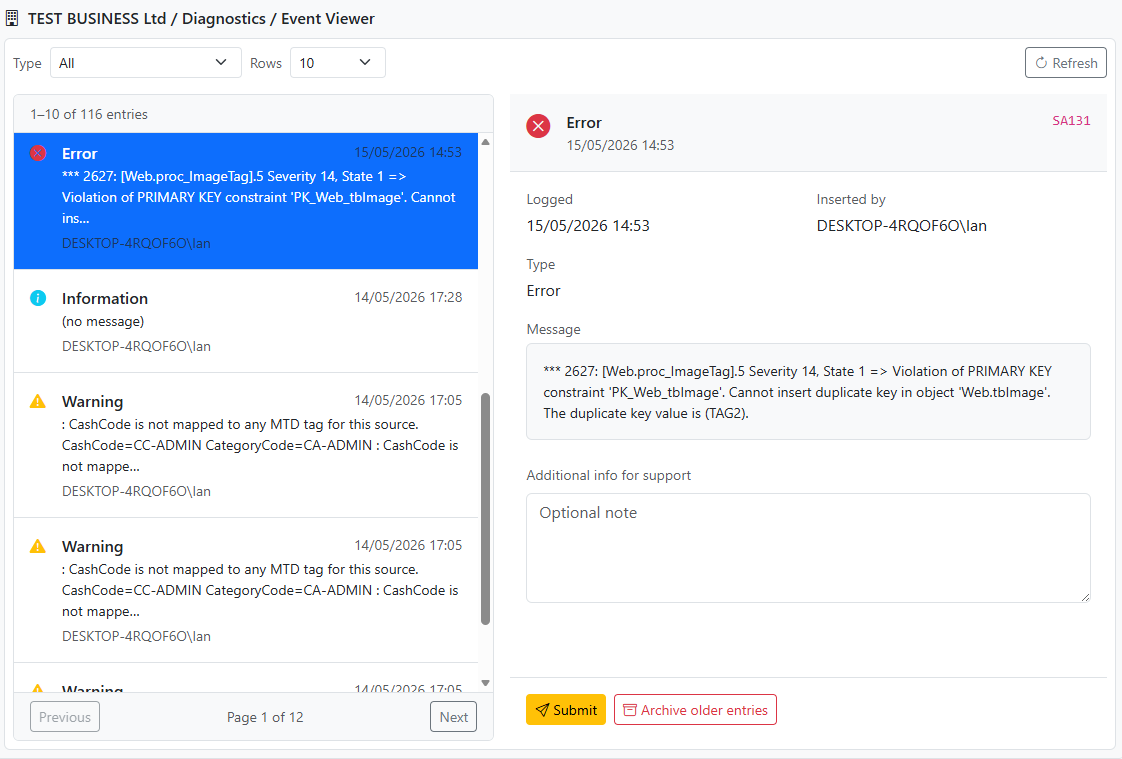
On desktop, Event Viewer opens in the right-hand pane with a split list-and-detail layout. On mobile, it opens as a full-screen view with separate list and detail screens.
The Event Viewer panel includes:
Available event type filters are:
Use the event list to:
Each row shows:
When you select an event, the detail pane shows:
If the selected entry is an Error, and support email delivery is configured, Event Viewer can submit that error as a support request.
You can optionally add extra notes before submitting.
For support submission to work, the following must already be configured:
See:
Administrators can archive older event log entries from the selected point in time.
Use Archive older entries when you want to keep the current log focused on recent activity while preserving a controlled archive boundary.
Use Event Viewer to: