
Enquiry mode is the read-only mode of Subject Browser.
Use it when you want to browse the namespace, inspect a Subject, and open related enquiries without changing the structure.
Enquiry mode is designed for:
When a suitable Subject is selected, Enquiry mode provides:
InvoicesPaymentsStatementStructural Subjects do not expose these enquiry actions.
Select a Subject in the tree and then choose the enquiry you want.
On desktop:
On mobile:
This lets you move from the namespace directly into the related enquiry without leaving Subject Browser.
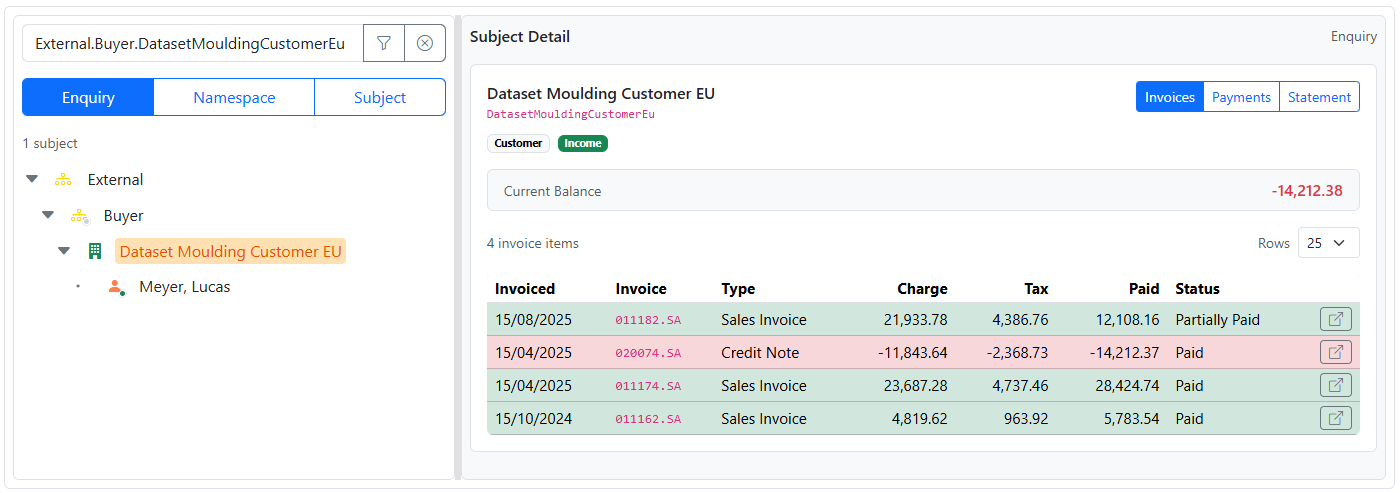
Even in read-only use, namespace helps you understand context.
For example, the same Subject may appear in different structures because Trade Control uses relationships rather than a fixed contact tree.
That means namespace can help answer questions such as:
Subject Browser enquiries are namespace-aware.
That means the selected path is not just a label. It controls which related records are shown.
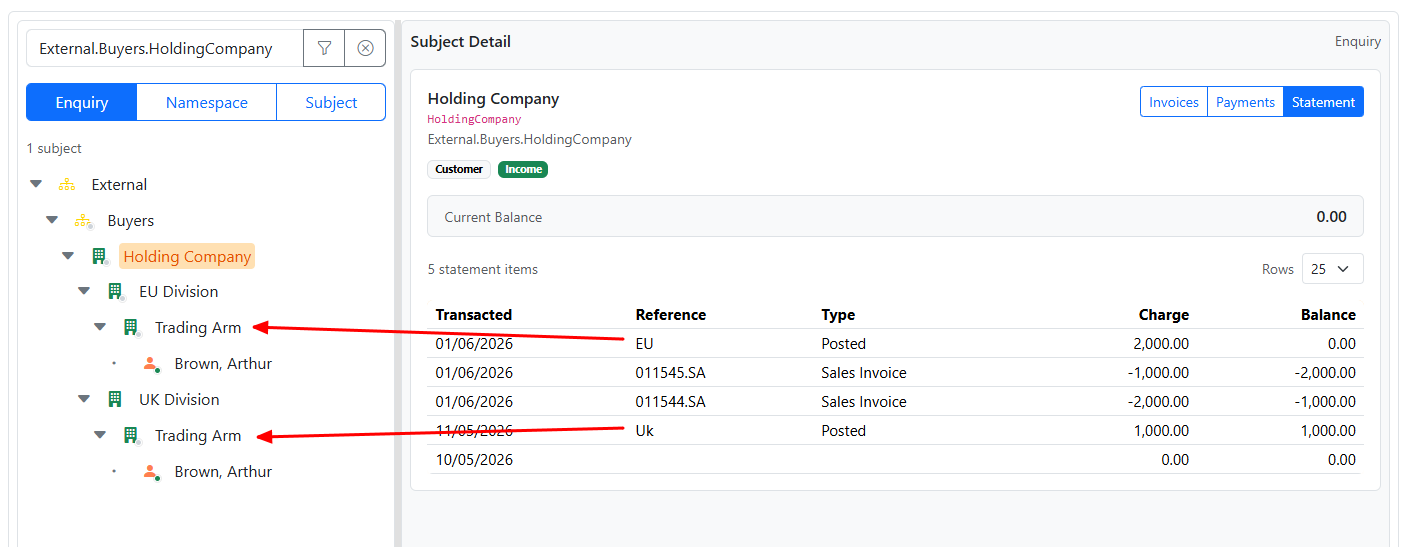
If you select a leaf Subject such as a trading arm, the enquiry shows the activity for that selected Subject in the selected namespace.
If you select a parent namespace node such as a division, department, or holding structure, the enquiry can show the combined activity contained under that selected branch.
For example, if a holding structure contains more than one trading arm, selecting the holding structure can show the contained statement activity for the full branch.
This is especially useful when you want to understand activity at:
A common pattern is:
This is especially useful when the same organisation or person can appear in more than one namespace.
In a DAG model, the same Subject may appear in more than one namespace. This is expected.
Because enquiries are namespace-aware, the results may differ depending on the selected path.
For example:
This is normal and reflects the selected namespace context.
This usually means one of the following:
This may mean:
You may reach the same Subject through more than one namespace. This is expected in the DAG model.
If the enquiry results are different, check the selected namespace path first.


