The VAT workspace brings the VAT statement, return totals, period detail and HMRC filing journey together. Its figures are projected from the same accounting evidence used by the VAT section of the Cash Statement.
Choose a Financial Year and, where needed, a Period from the Tax Hub sidebar. Period descriptions are shown as ordinary inclusive reporting periods.
The business must have a ready Indirect tax reporting profile. The VAT registration number is maintained in the reporting subject’s organisation details and is shown in the filing journey in masked form.
The HMRC VAT connection panel shows whether the business is connected. Choose Manage to connect, sign out or disconnect the Government Gateway organisation account. Trade Control does not ask for or store the user’s HMRC sign-in credentials.
Connecting an account grants Trade Control permission to use HMRC’s VAT service. Signing out ends the local session without revoking that permission; disconnecting removes the stored HMRC connection and requires authorisation again.
VAT Statement shows VAT due, VAT paid and the running balance.
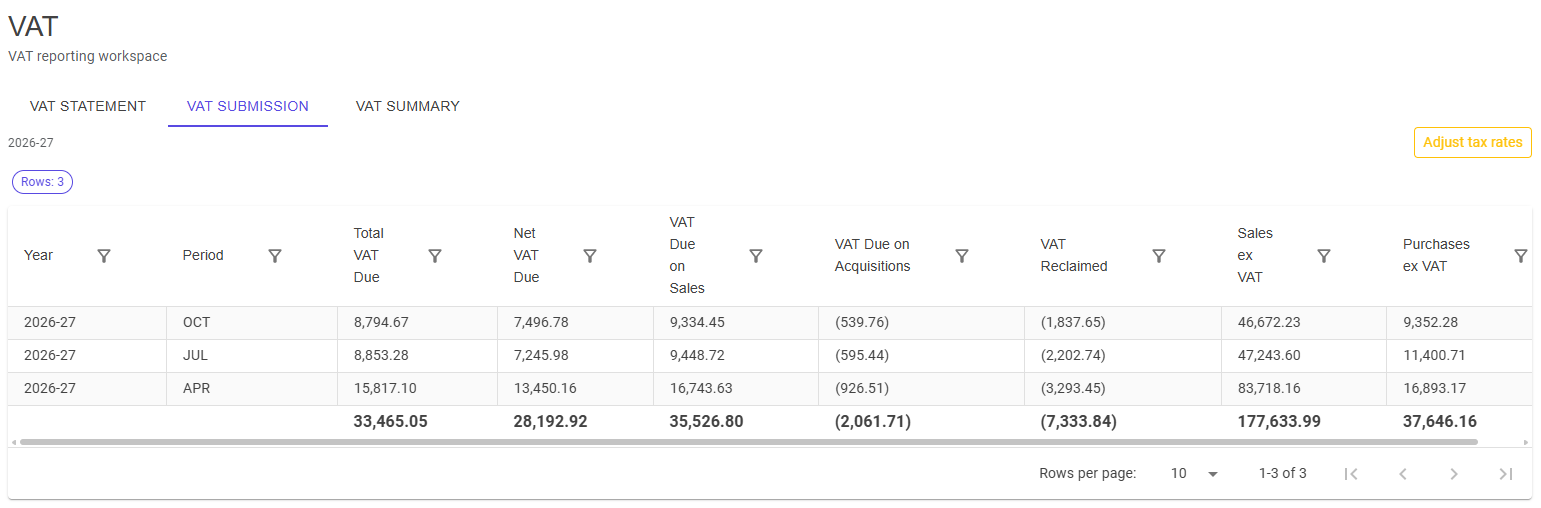
VAT Submission shows the nine return figures, including VAT due on sales and acquisitions, VAT reclaimed, net VAT due and the relevant values excluding VAT. Use Adjust tax rates to open the effective-dated VAT adjustment controls in Admin Manager.
Adjustments support reconciliation for the selected tax-period window and should be supported by the business records.
VAT Summary shows the return figures by period and responds to the selected financial-year and period filters.
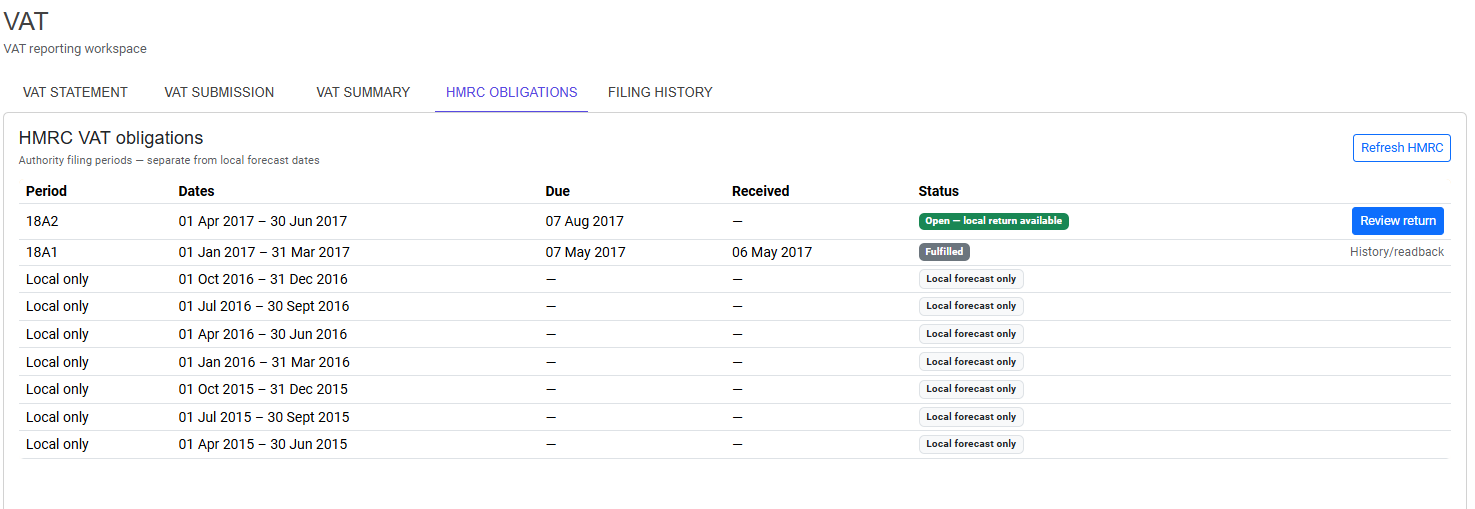
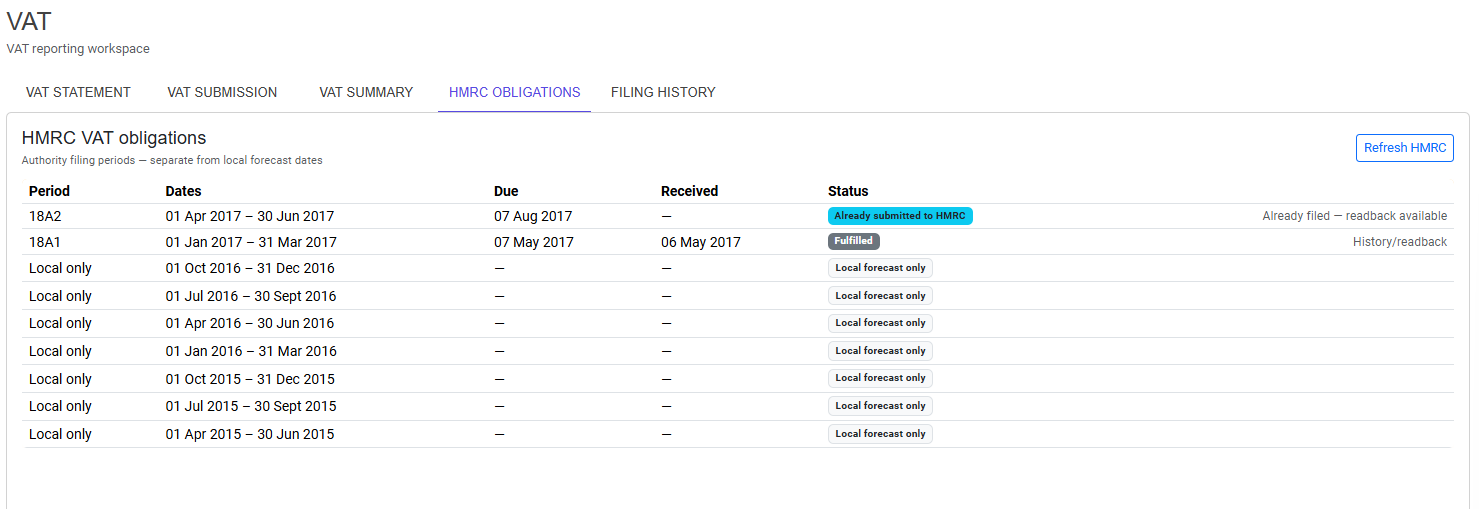
Open HMRC Obligations and choose Refresh HMRC to retrieve the filing periods available to the connected organisation account.
Trade Control distinguishes:
Choose Review return beside the open obligation. A return cannot be submitted from a local forecast row or for a VAT registration number that differs from the connected HMRC organisation.
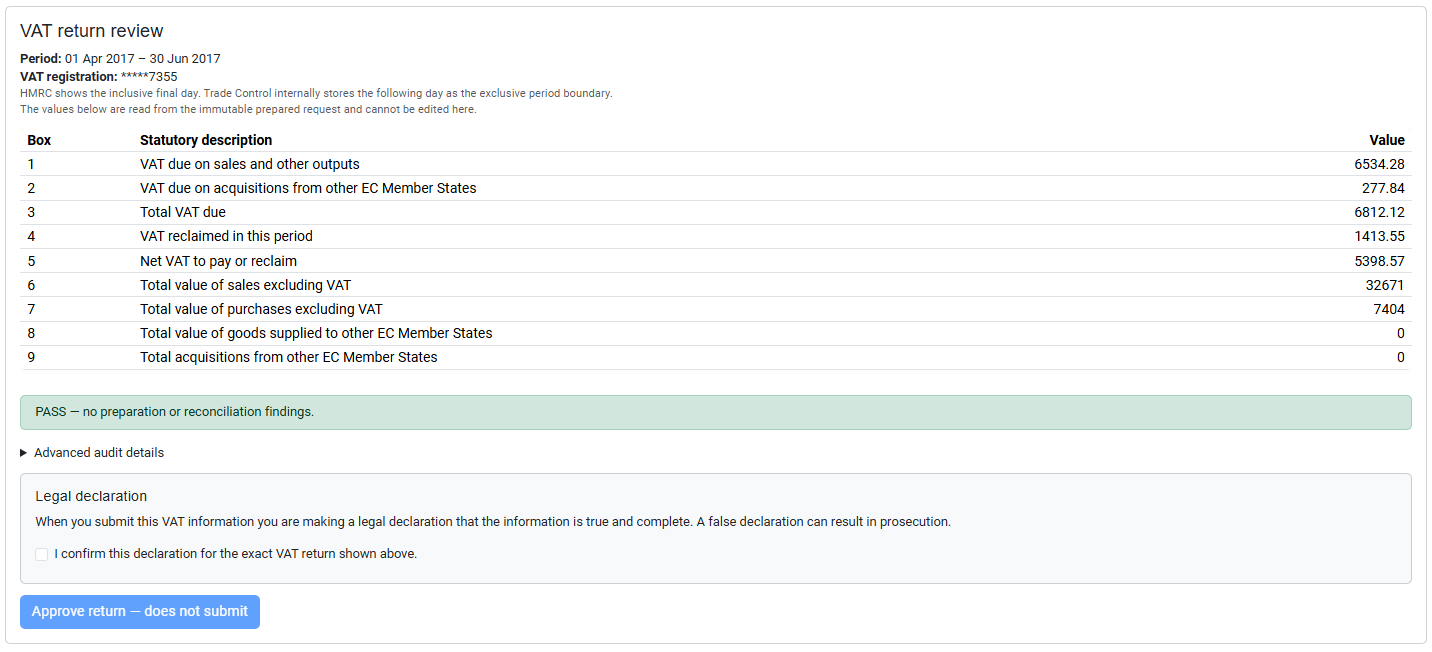
The review displays the exact nine-box return calculated from the business’s accounting records. The values cannot be edited on the review page. Resolve any preparation or reconciliation finding before continuing.
HMRC displays the inclusive final date of the obligation. Trade Control stores the following day as its exclusive period boundary; both descriptions refer to the same reporting period.
Filing deliberately uses two separate actions:
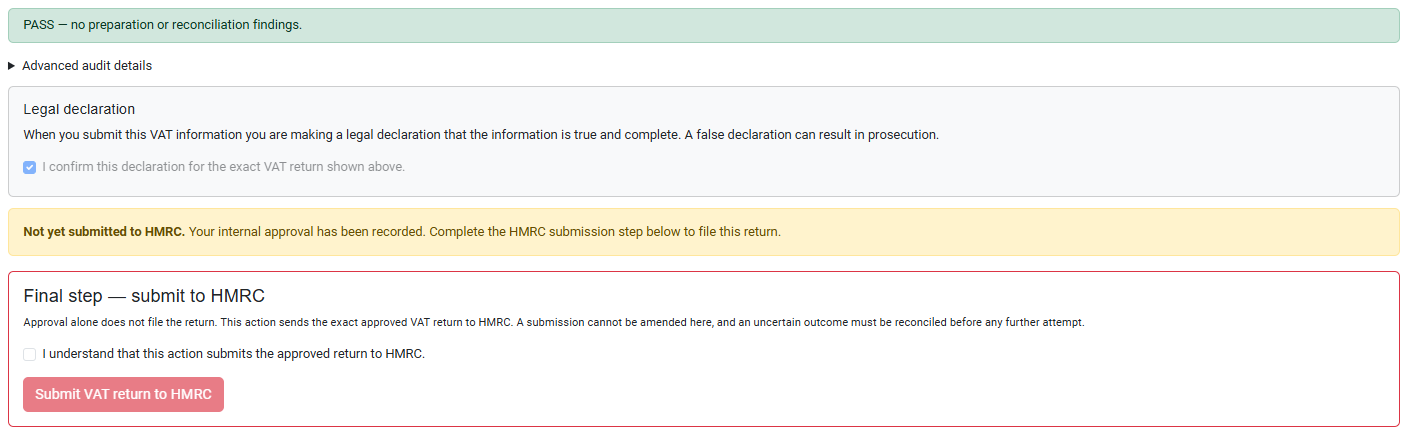
Do not close or repeat the action while submission is in progress. Trade Control prevents duplicate submissions and treats an interrupted or uncertain outcome as requiring reconciliation rather than inviting an immediate retry.
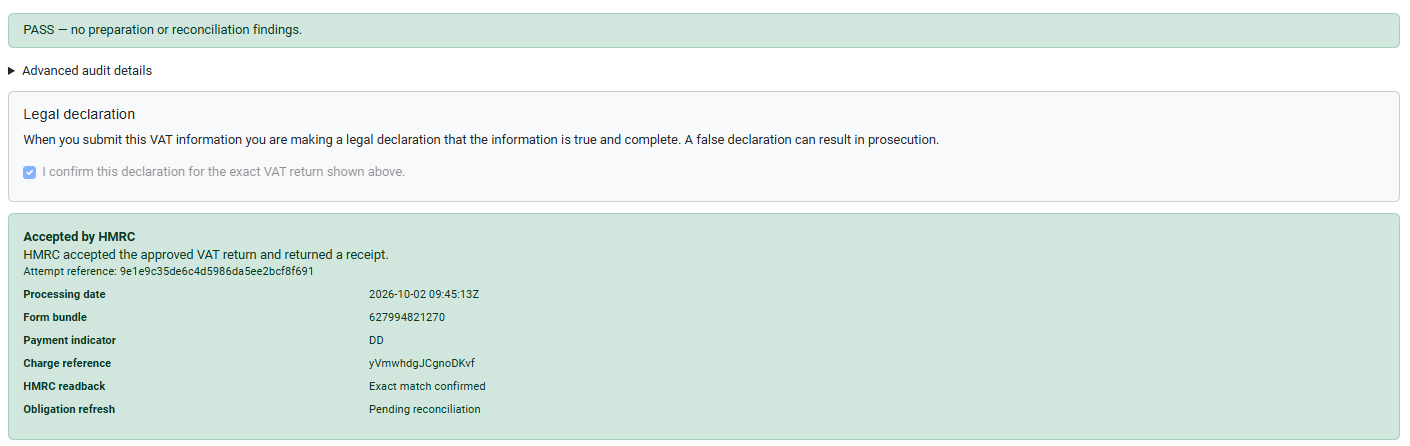
An accepted return displays HMRC’s processing date and safe receipt references. HMRC readback — Exact match confirmed means the return retrieved from HMRC matches the exact approved nine-box payload.
Choose Refresh HMRC after submission. The filed period is no longer available for submission and is presented as fulfilled or already submitted with readback available.
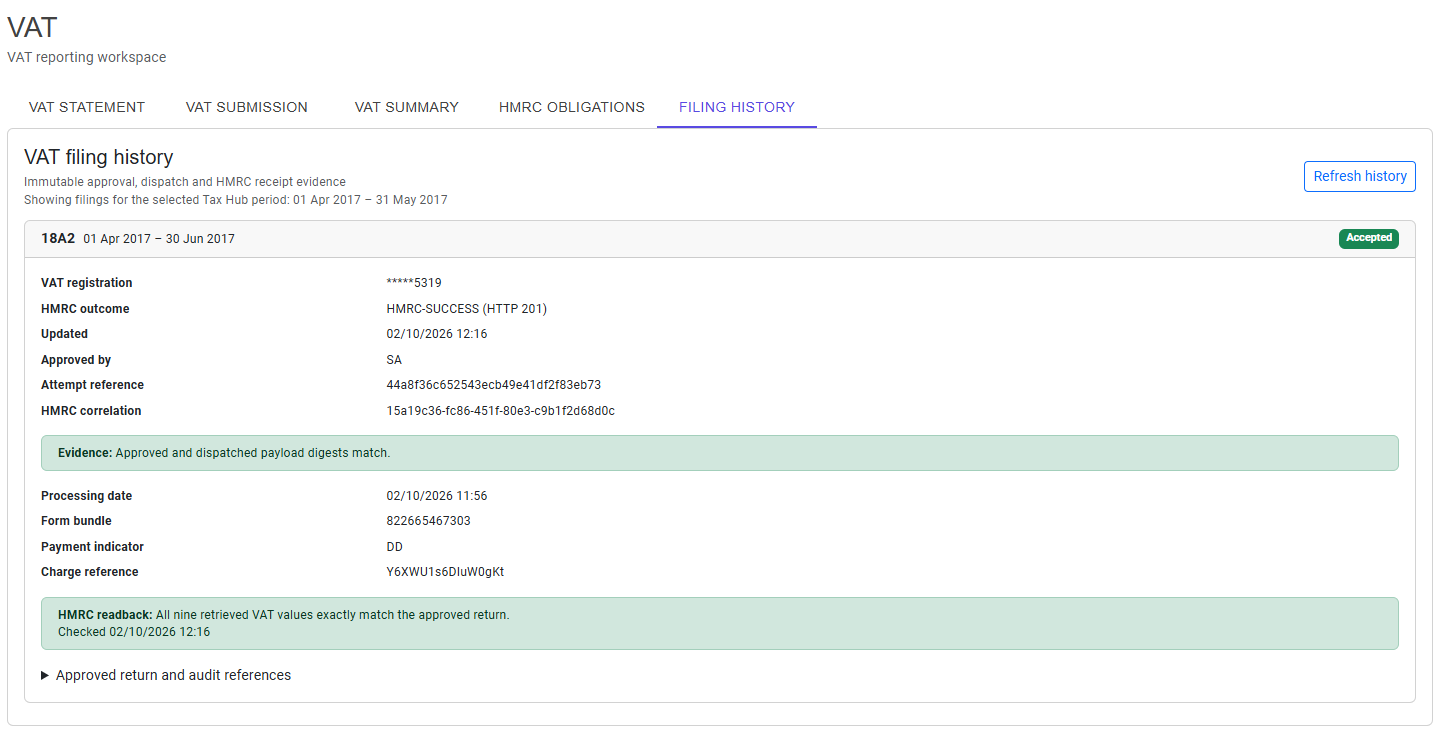
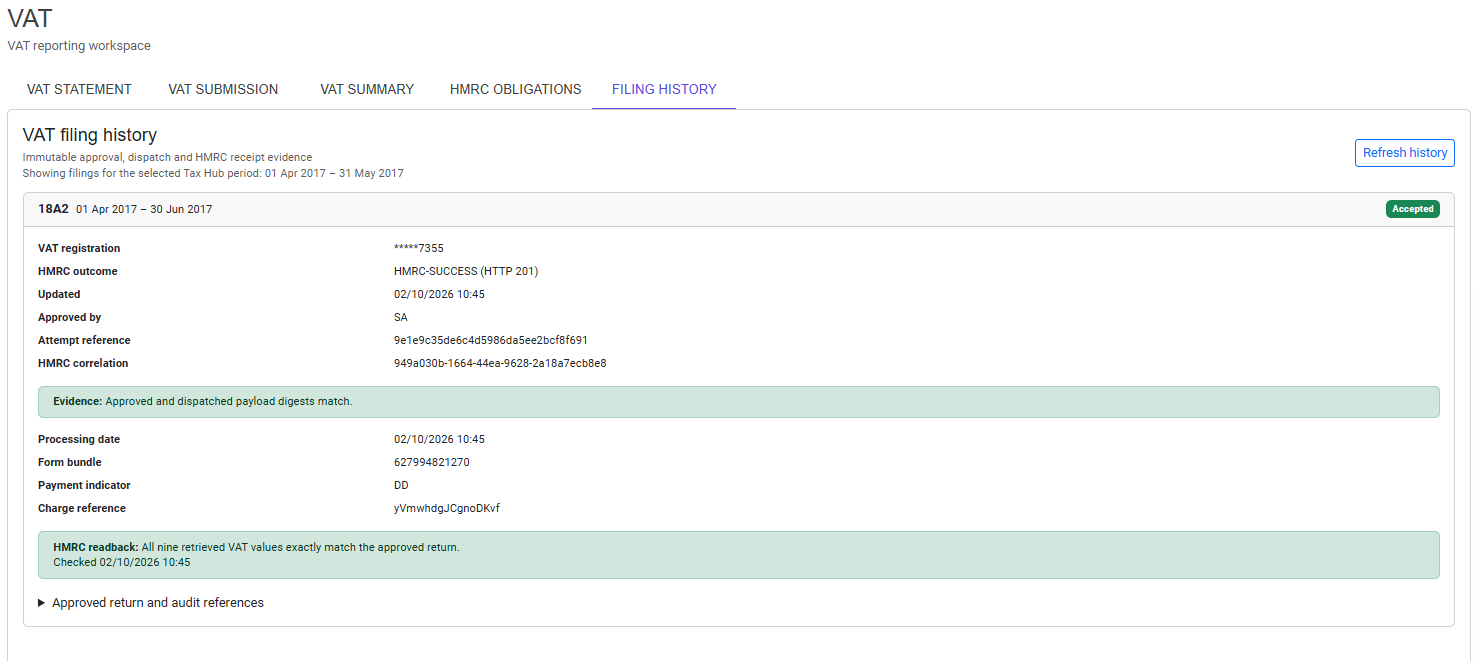
Open Filing History to review VAT returns recorded for the business after it adopted the current indirect-tax reporting profile. The history follows the Financial Year and Period selected in the Tax Hub sidebar, so a business that has used Trade Control for many years can focus on the relevant accounting window.
Only filings belonging to the VAT registration number currently held by the reporting subject are shown. A historical record created under an obsolete VAT identity is not presented as a filing for the current business registration.
Each filing records:
Expand Approved return and audit references to inspect the approved nine-box values and the prepared return’s SHA-256 fingerprint. These details help an authorised user or support operator trace the filing without exposing HMRC credentials or unrestricted request and response data.
If the browser or server is interrupted after sending begins, do not submit the return again. Trade Control prevents an ordinary repeat submission and displays a persistent warning on the Tax Hub dashboard when a filing still needs confirmation.
Open VAT, then Filing History. If HMRC’s acceptance is already recorded but the exact readback did not complete, or if the outcome remains uncertain, choose Reconcile with HMRC to retrieve the authority’s copy and compare it with the exact approved return.
When every value agrees, Filing History records an exact match. If any value differs, the differing fields are shown for investigation. If HMRC cannot prove the outcome, do not submit the return again: retain the attempt reference and seek support.
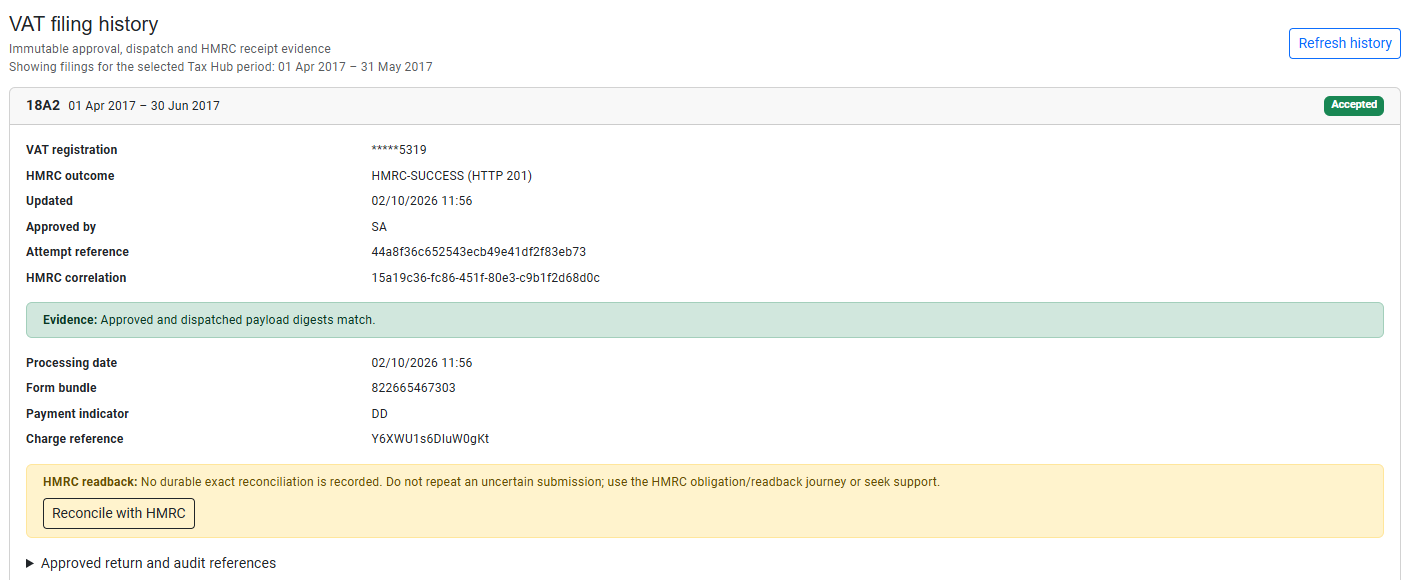
After a successful reconciliation, the recovery action disappears and HMRC readback confirms that all nine retrieved VAT values exactly match the approved return. An outcome of HMRC-SUCCESS (HTTP 201) remains unchanged when the acceptance receipt was already safely recorded before the interruption.