
Use File Your Accounts to prepare, approve and file unaudited, filleted FRS 105 micro-entity accounts with Companies House.
The filing is derived from the accounting records in Trade Control. Balance-sheet figures are not re-entered on a filing form. The first supported profile does not cover full accounts, dormant-company accounts, audited accounts, FRS 102 accounts or another accounts regime.
For a financial year beginning on or after 6 April 2025, a company normally qualifies as a micro-entity if it meets at least two of these three conditions:
| Criterion | Threshold |
|---|---|
| Annual turnover | Not more than £1 million |
| Balance sheet total (total assets) | Not more than £500,000 |
| Average number of employees | Not more than 10 |
Meeting the size thresholds does not by itself make every company eligible. Certain companies and group situations are excluded, including public limited companies, charitable companies and some parent or subsidiary companies. The rules for a company’s first and subsequent financial years can also affect qualification.
Check the current Companies House guidance on micro-entity accounts or seek professional advice if you are unsure. The thresholds that applied before 6 April 2025 were lower, so use the accounting period’s start date when deciding which limits apply.
Finish the financial year and review its Annual P&L, year-end Balance Sheet and Equity Bridge in Tax Hub Accounts. Resolve any reconciliation failure and check the underlying debtor, creditor, bank, cash and fixed-asset positions.
In Accounts, select the completed financial year and open File Your Accounts.
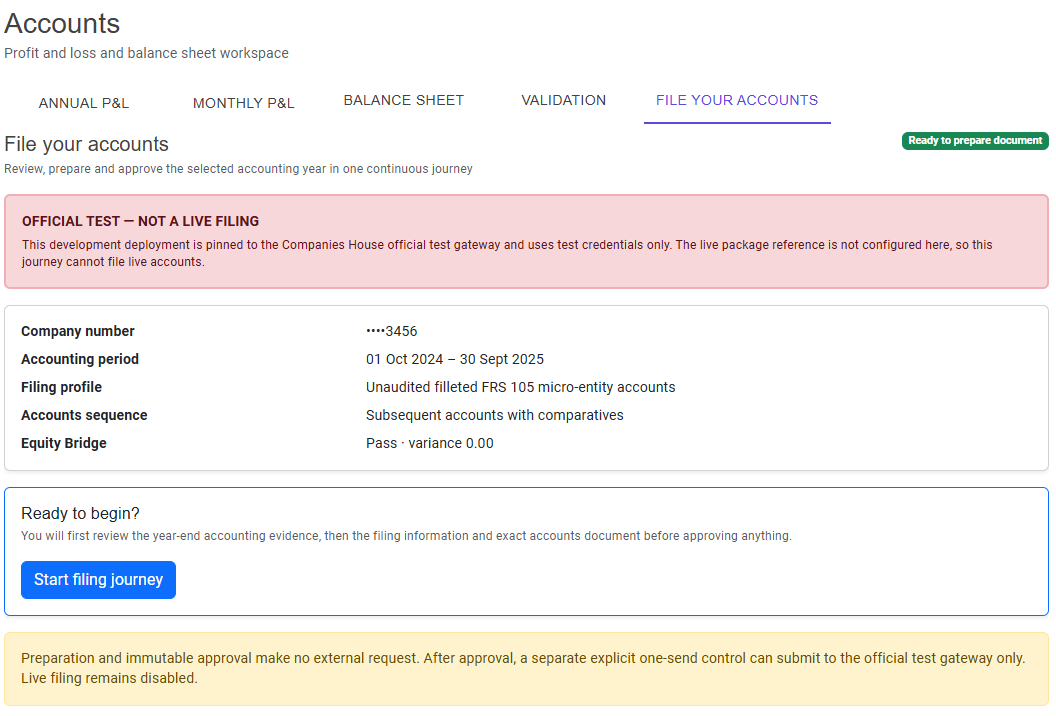
The filing overview shows the company number, accounting period, filing profile, whether these are first or subsequent accounts, and the Equity Bridge result. Check that these details describe the accounts you intend to file, then choose Start filing journey.
Starting the journey does not send anything to Companies House.
For purposes of demonstration, screenshots are presented in Companies House official test mode.
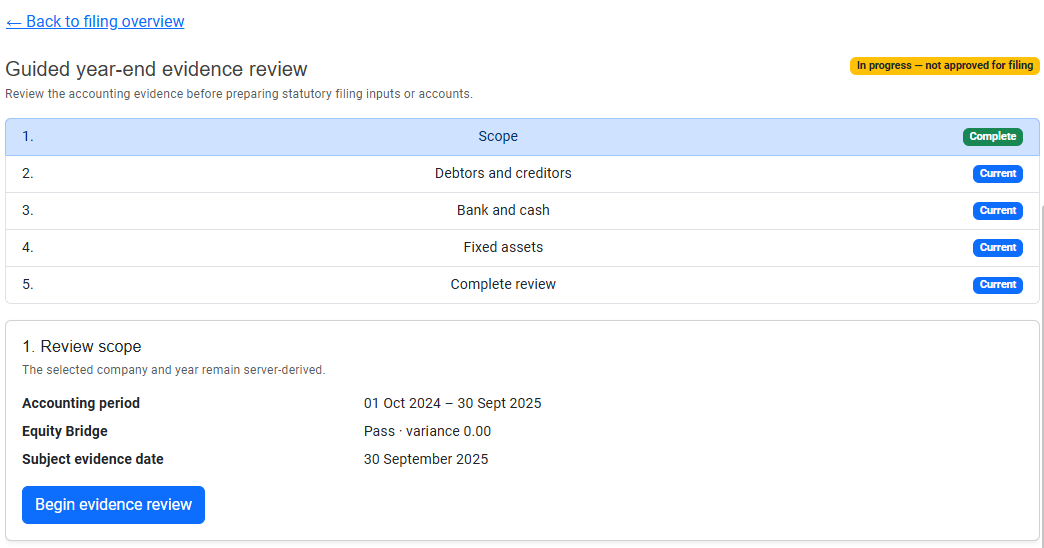
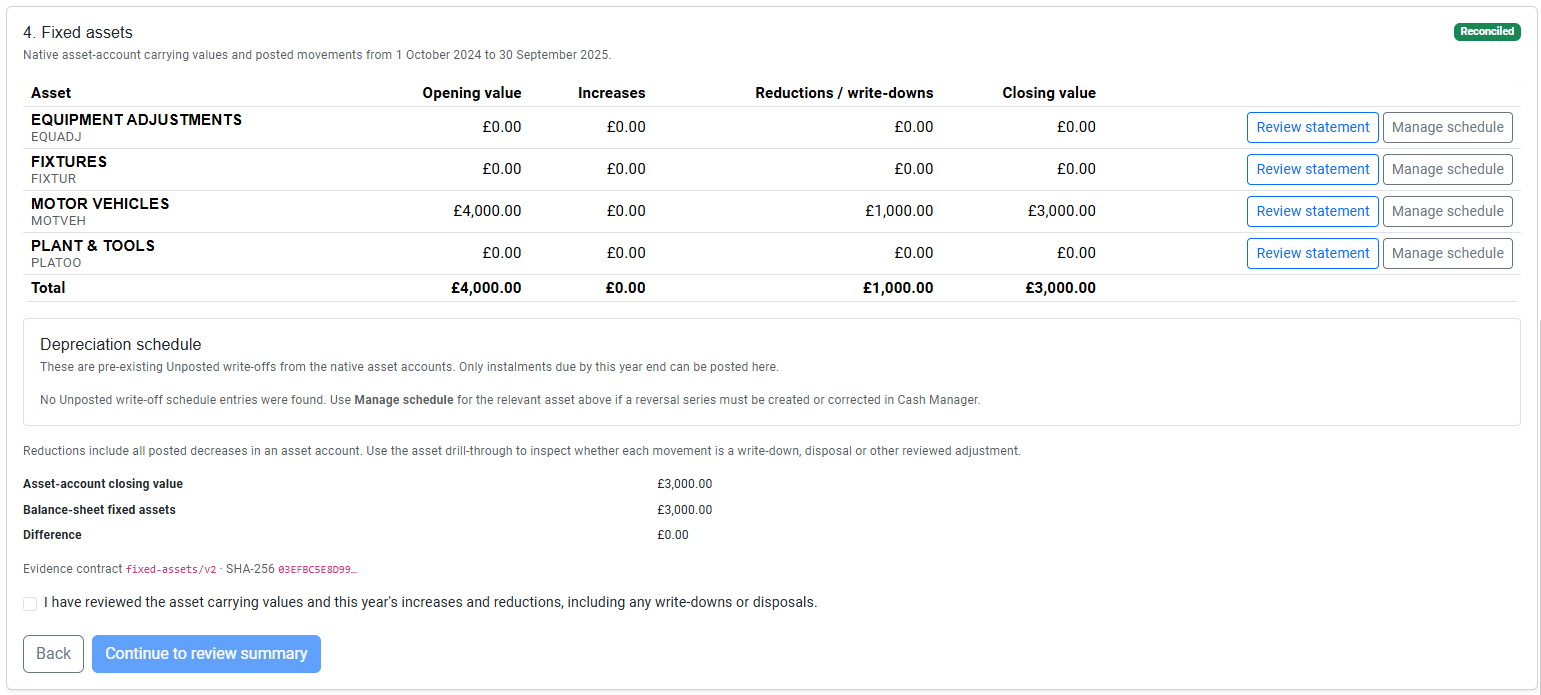
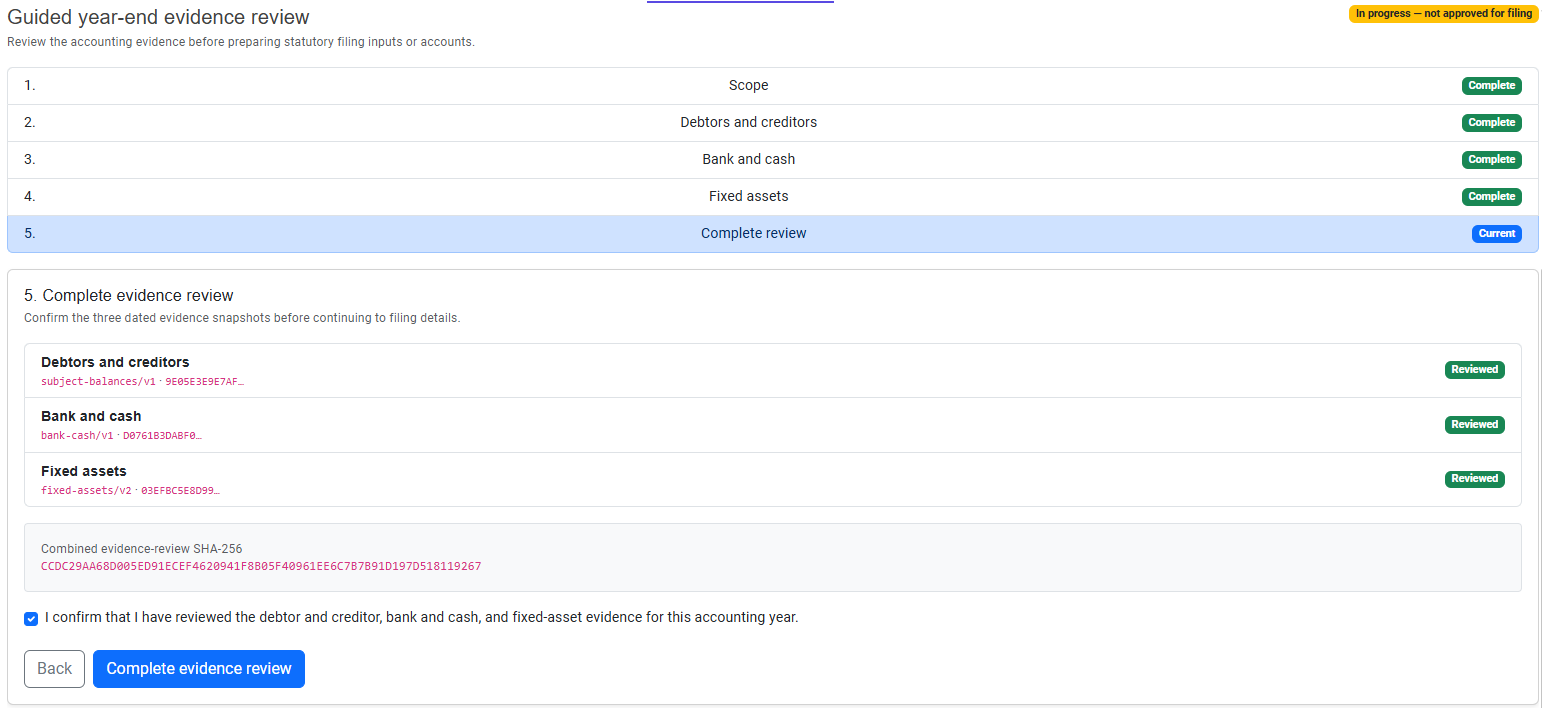
The guided review confirms the year-end evidence behind the accounts:
If a scheduled depreciation or write-off instalment is due by the selected year end, post it through the fixed-asset review. Tax Hub then reloads the accounts and recalculates the balances, Equity Bridge and filing evidence.
Supply the information that is not held in the ledger, including the approval date, signing director, principal activity, accounting policies, average number of employees and any applicable director advances.
Review this information carefully. It forms part of the statutory accounts, but it cannot be used to replace or adjust the balance-sheet figures derived from the accounting records.
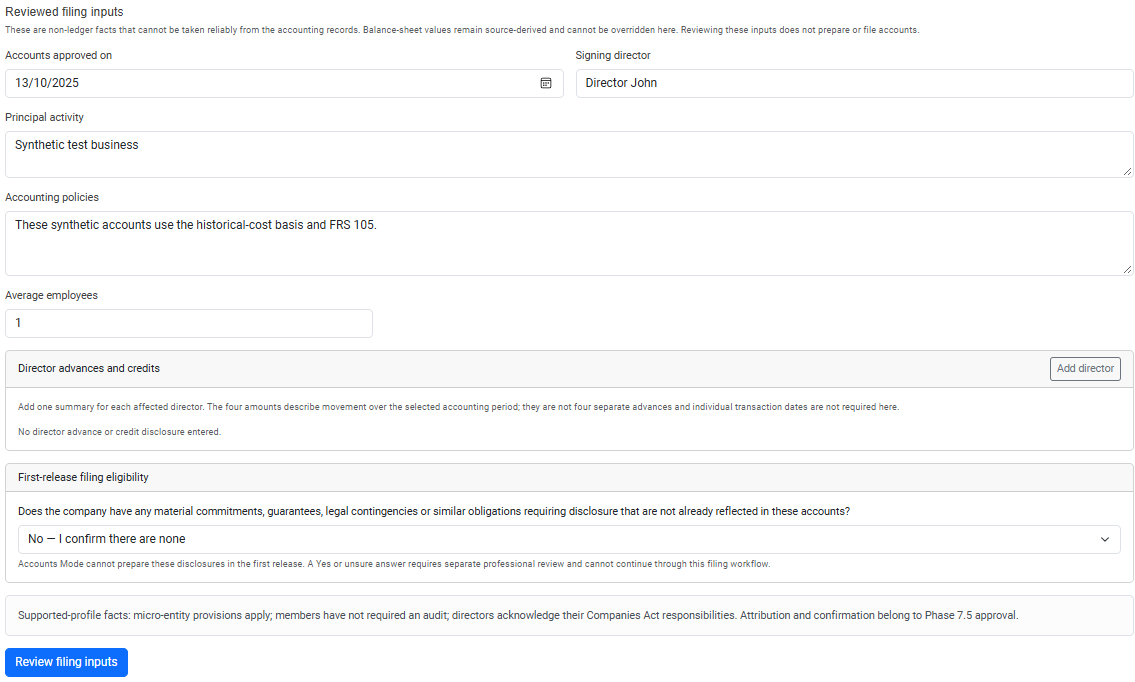
Choose Prepare exact accounts. Preparation does not send anything to Companies House.
Tax Hub displays the exact XHTML accounts document that will be filed. Read it on screen and use:
The PDF is for human review. The retained XHTML is the filing document.
Read the declaration for the exact document, select its confirmation and choose Approve accounts — does not file.
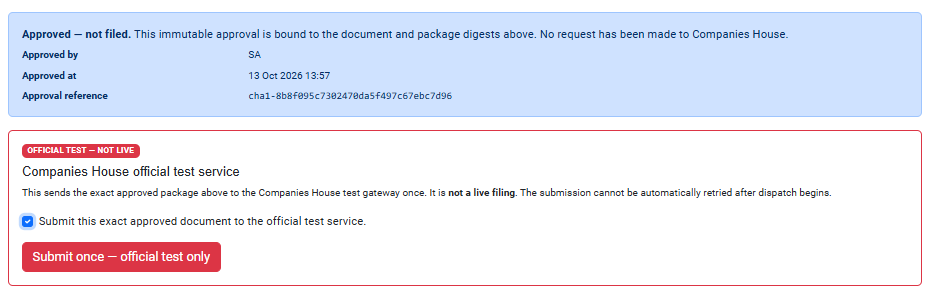
Approval records the user and binds the selected company, accounting period, reviewed evidence and exact document. The result is Approved — not filed. If the accounting evidence changes, prepare and approve a new document.
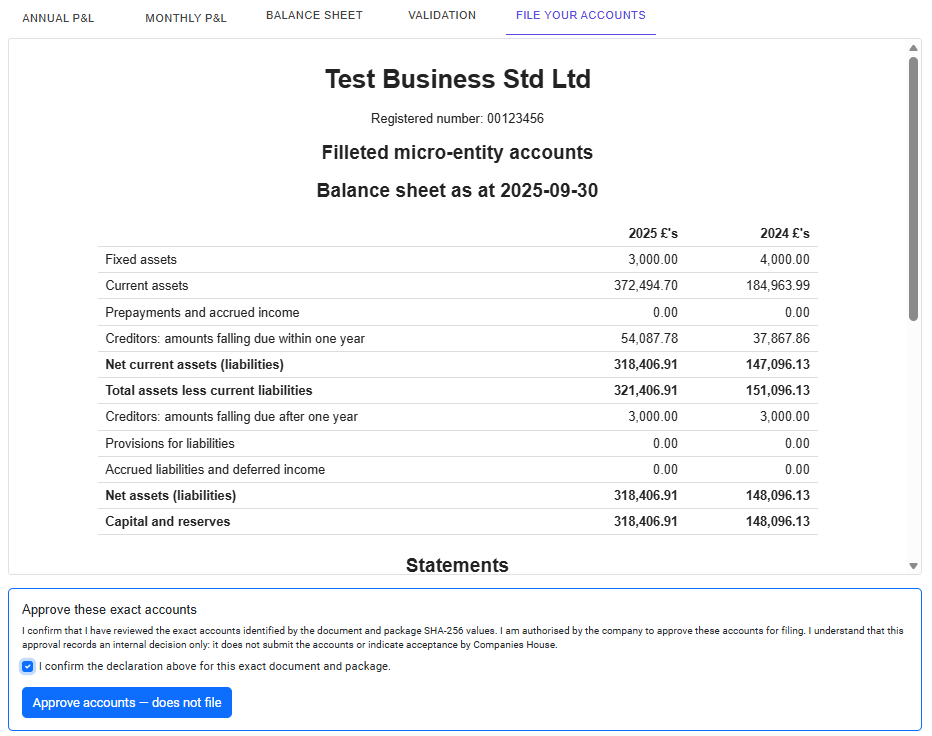
Submission is a separate, explicitly confirmed action. Check that the approved document is the one you intend to file, select the final confirmation and choose the submission action.
The approved package is sent once and automatic retry is disabled. If the connection or browser is interrupted after sending begins, do not submit again or start another filing journey. Reopen the same company and accounting period to continue the existing filing.
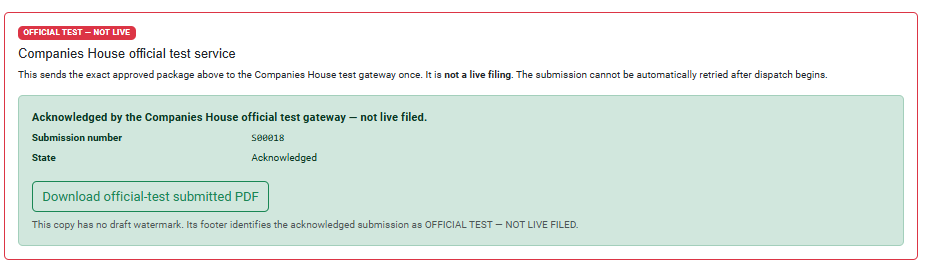
A gateway acknowledgement confirms that Companies House has received the package. It does not mean that the accounts have been accepted.
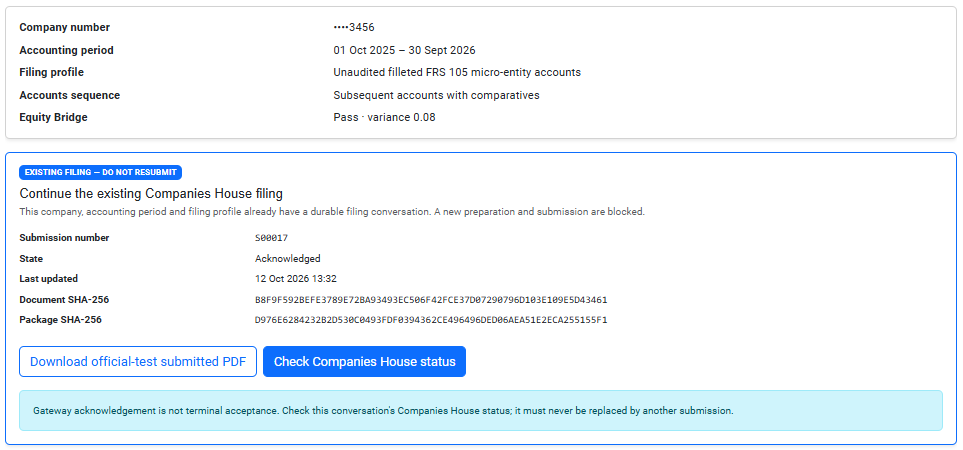
Tax Hub retains the submission details and prevents another ordinary submission for the same company, accounting period and filing profile. When that period is reopened, EXISTING FILING — DO NOT RESUBMIT is shown instead of a new filing action.
For an acknowledged, pending or parked filing, choose Check Companies House status. Tax Hub adds the result to the existing filing record; it does not create or resend a filing.
The result may be:
/public/images/tax-hub/companies-house-status-accepted.png.