
The Category Tree is a living classification: it can evolve as the business changes, while preserving the exact structure used for statutory reporting in the past.
Changing a Category, a Total, a root, or a Cash Code mapping can change the interpretation of transactions that already exist. Trade Control therefore keeps the operational tree simple while retaining an evidence trail:
Versioning applies to Categories, Total relationships, Cash Code-to-Category mappings, and the Profit and VAT roots. Cash Codes themselves remain persistent operational identities. Cash Expressions remain user-managed reporting formulas and are checked by their parser against the selected tree.
| Status | Operational effect | Can it be edited? |
|---|---|---|
| Draft | A proposed successor. Ordinary statements continue to use the active version. | Yes |
| Published | The live version used by ordinary statements and unsubmitted calculations. | Yes, until sealed or temporarily submission-locked |
| Submitted | The live version has supported a statutory submission. | No |
| Archived | A superseded historical version retained for reconstruction and evidence. | No |
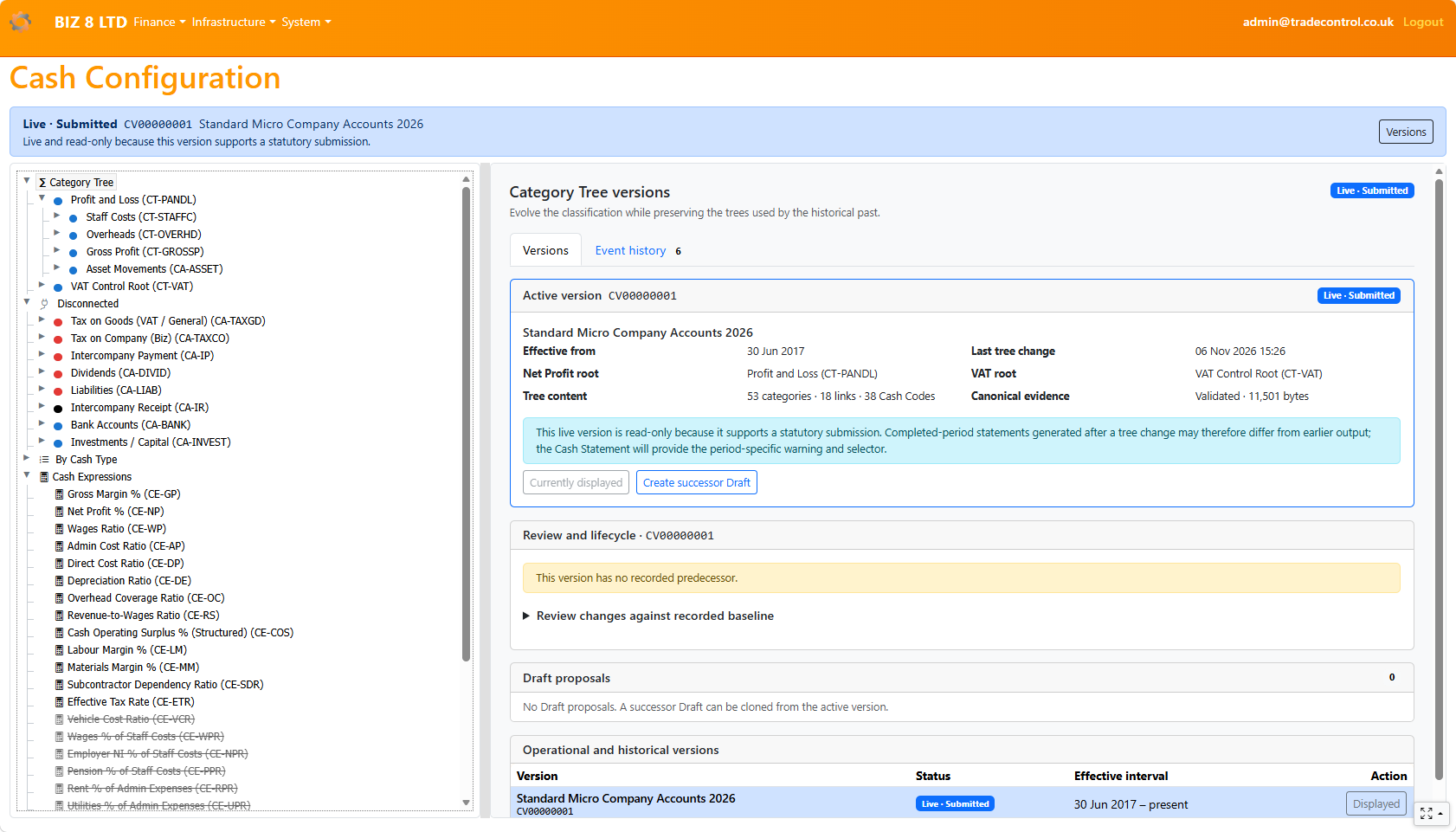
There is always one active version. It is either Published or Submitted. Several Drafts may be proposed, but simply opening or editing a Draft never activates it.
The filing cadence sets the intended upper limit for an editable Published version:
The authorised VAT, accounts or tax filing workflow performs the seal. Time passing does not submit, archive or publish a Category Tree, and Trade Control never changes lifecycle state merely because a date has arrived. An unchanged Submitted version can remain active and support later filings; a new Published lifespan begins only when an authorised user deliberately publishes a successor Draft.
When the active version is Submitted, select the Category Tree root or choose Versions, then select Create successor Draft. The new Draft is a complete clone of the active version: it evolves the reviewed tree rather than replacing it with an empty structure.
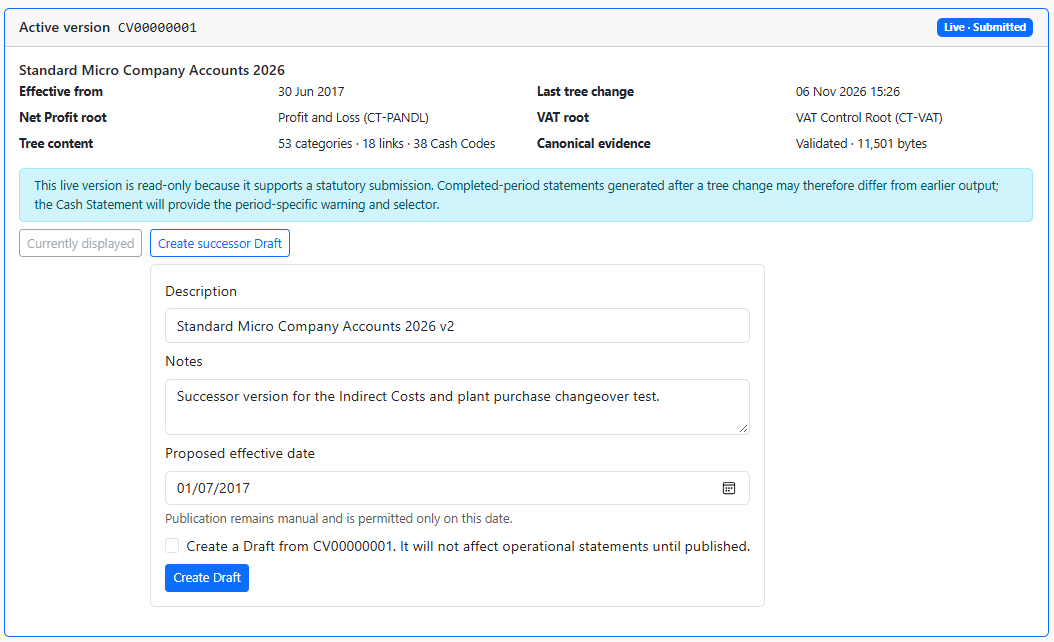
Give the proposal a meaningful description and notes. Its proposed effective-from date is confirmed at publication. The predecessor’s effective-to date is maintained automatically.
Open the Draft and make the required changes using the normal Category Tree tools. For example, a business can introduce an Indirect Costs classification and move existing categories beneath it without changing the live statements during review.
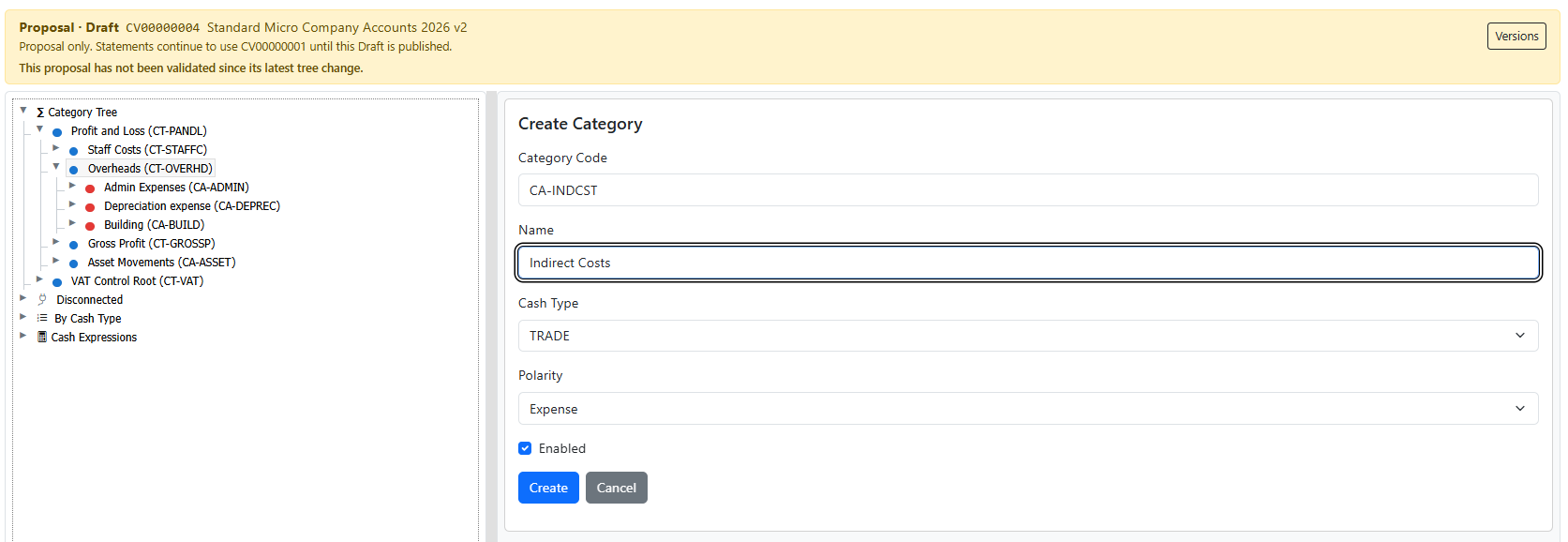
Cash Codes are created in the active Published tree, where the application can enforce an immediate valid Category mapping. A Draft can change the mapping of existing Cash Codes, but it cannot create an operational Cash Code that ordinary transactions cannot yet use.
Before publication, validate the Draft from the version workspace. Validation checks the graph, roots, Category types and Cash Code mappings, then records canonical evidence for the proposed content.
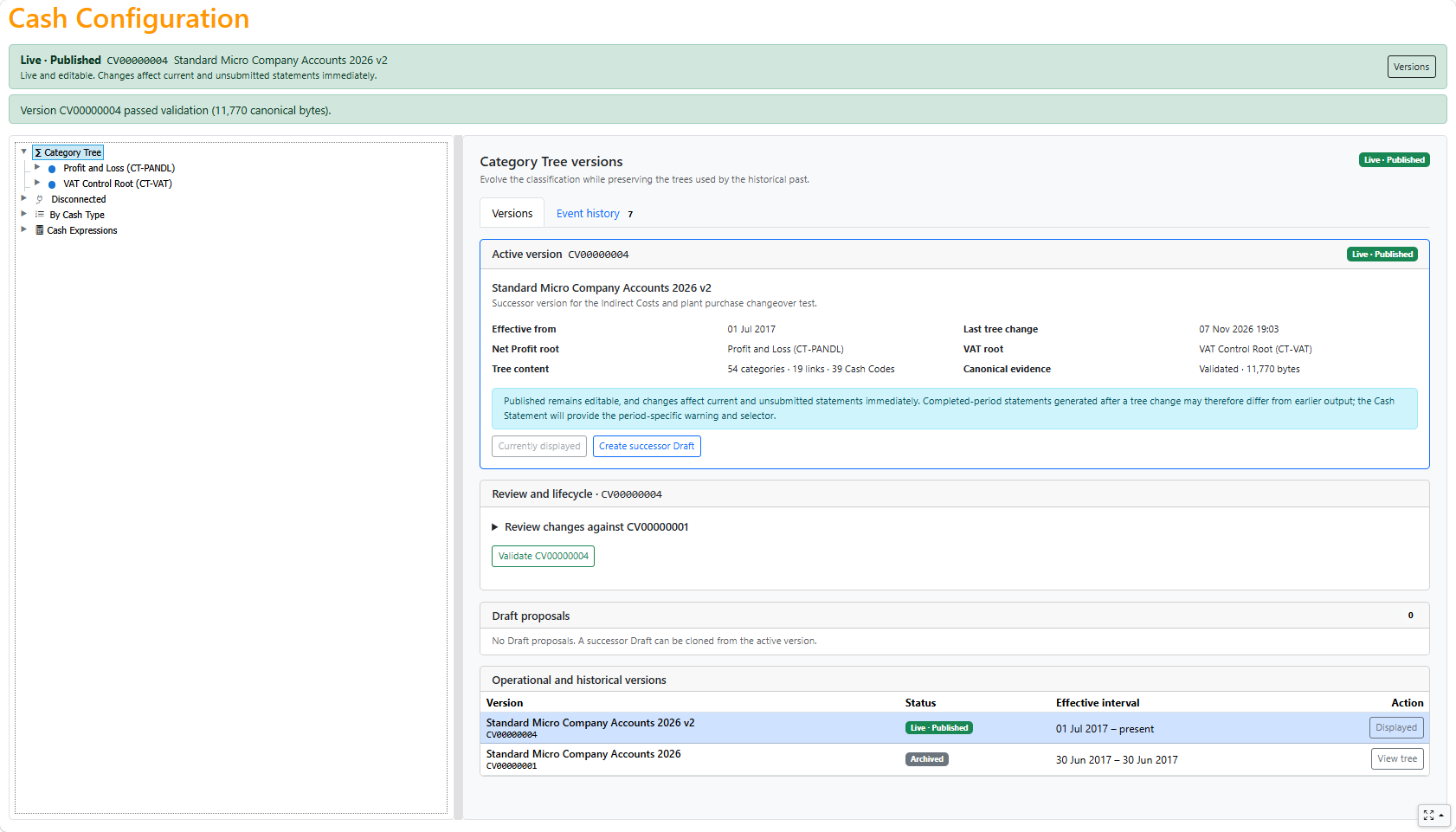
Use Review changes against recorded baseline to inspect what changed from the predecessor. The comparison is the review boundary: it distinguishes deliberate evolution from an accidental edit.
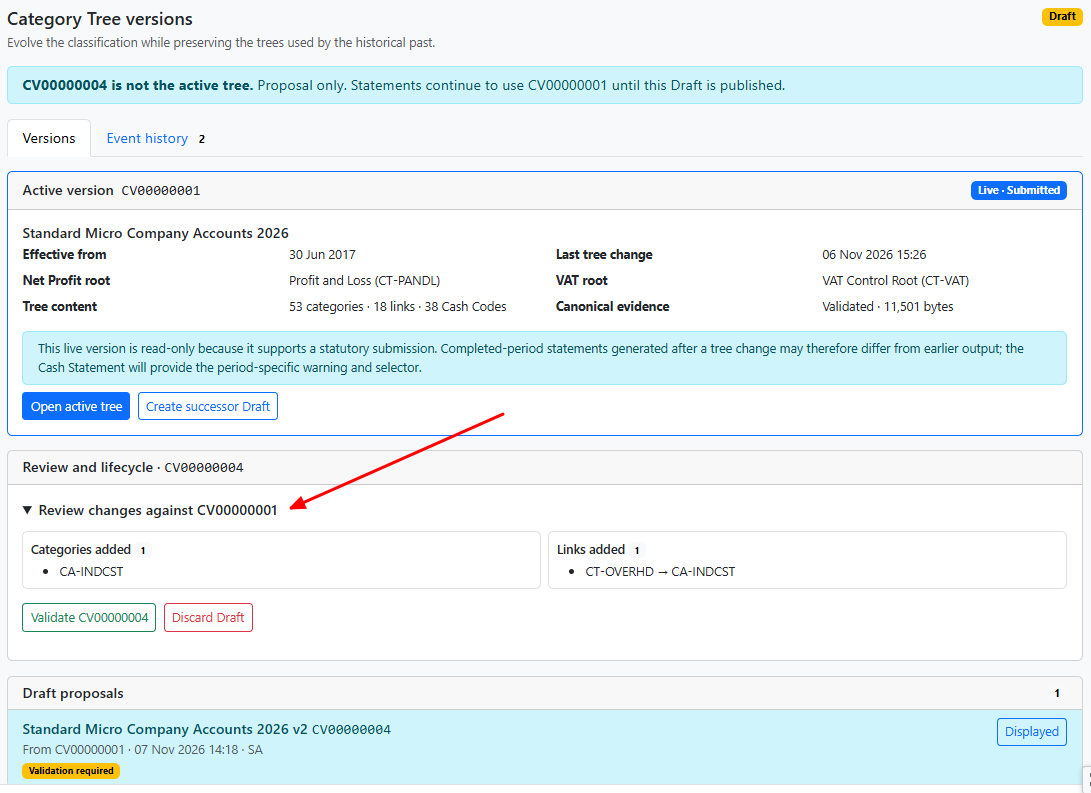
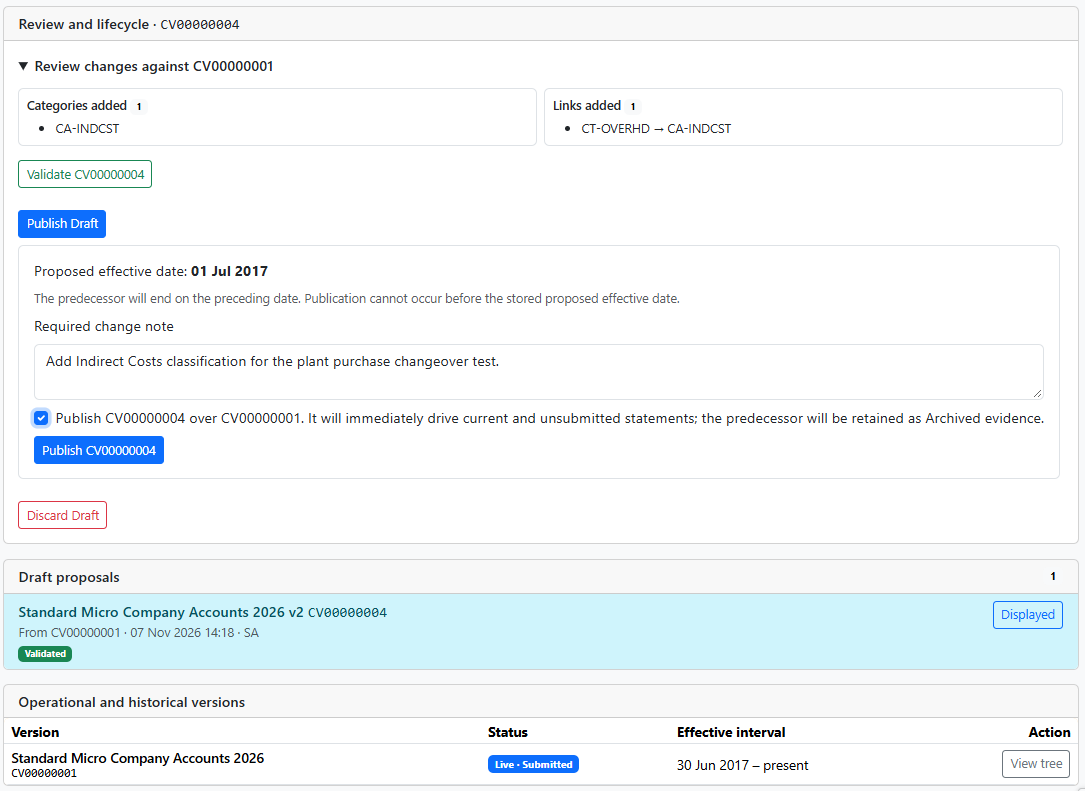
Publishing is a controlled cutover. Confirm the inclusive effective-from date and the change note. Trade Control then archives the predecessor, closes its effective interval on the preceding day, activates the successor and opens the successor interval in one operation.
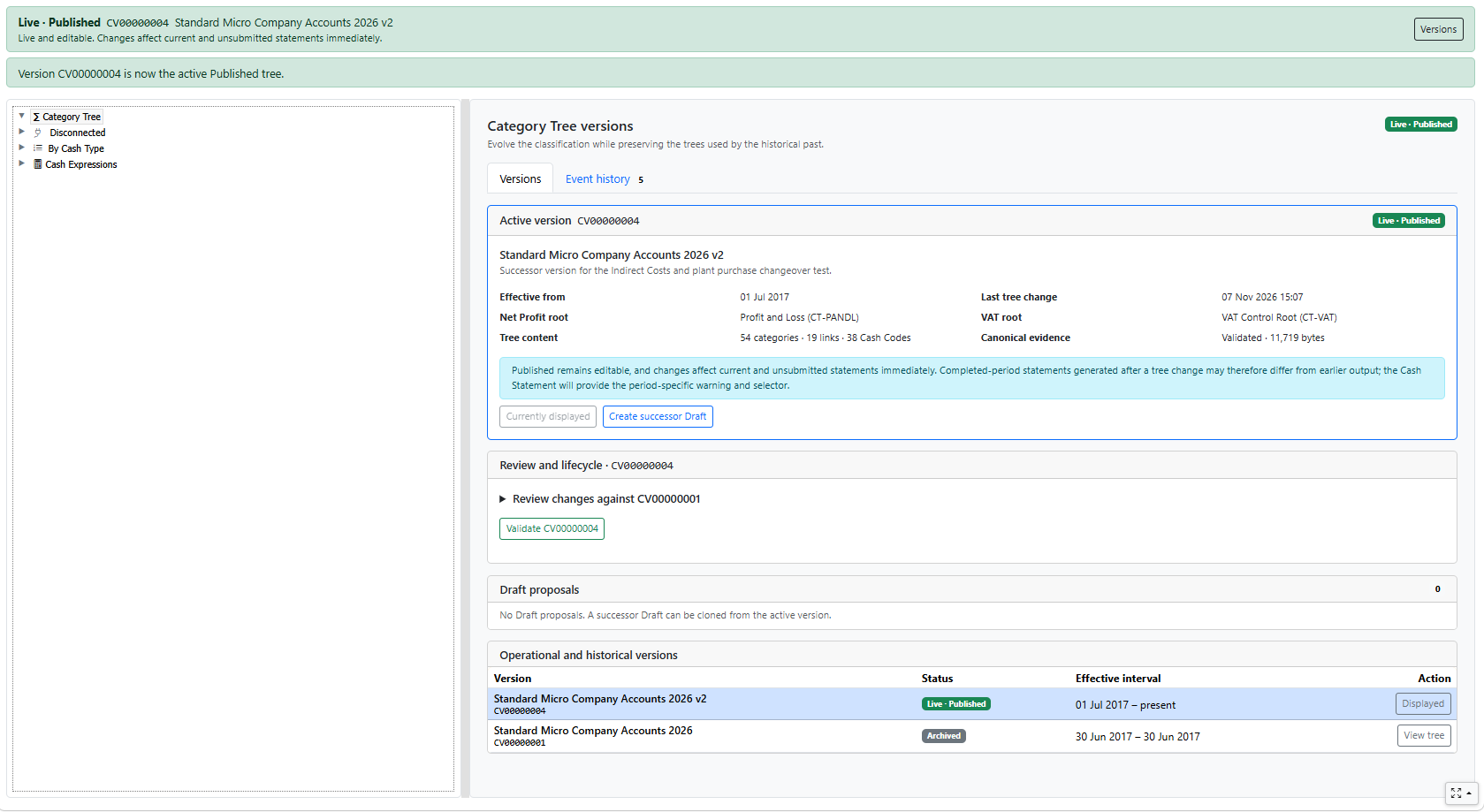
After publication, ordinary statements use the successor automatically. The version banner makes that operational boundary visible.
A Published tree remains editable until a statutory process relies upon it. During preparation and dispatch, a temporary submission lock prevents the tree changing underneath the evidence being approved. A recoverable failure releases that lock; an uncertain authority outcome retains it until the outcome is reconciled.
Once a submission succeeds, the statutory seal records the Category Version identifier and its canonical SHA-256 evidence. The Published version becomes Submitted and read-only. Later publication of a successor archives it, but does not change its sealed content or invalidate the historical submission.
The filing journey reports the change-control consequence when acceptance is recorded, and the Category Tree banner then identifies the live version as Submitted. This makes the transition visible instead of leaving users to discover the new read-only state when they next attempt an edit.
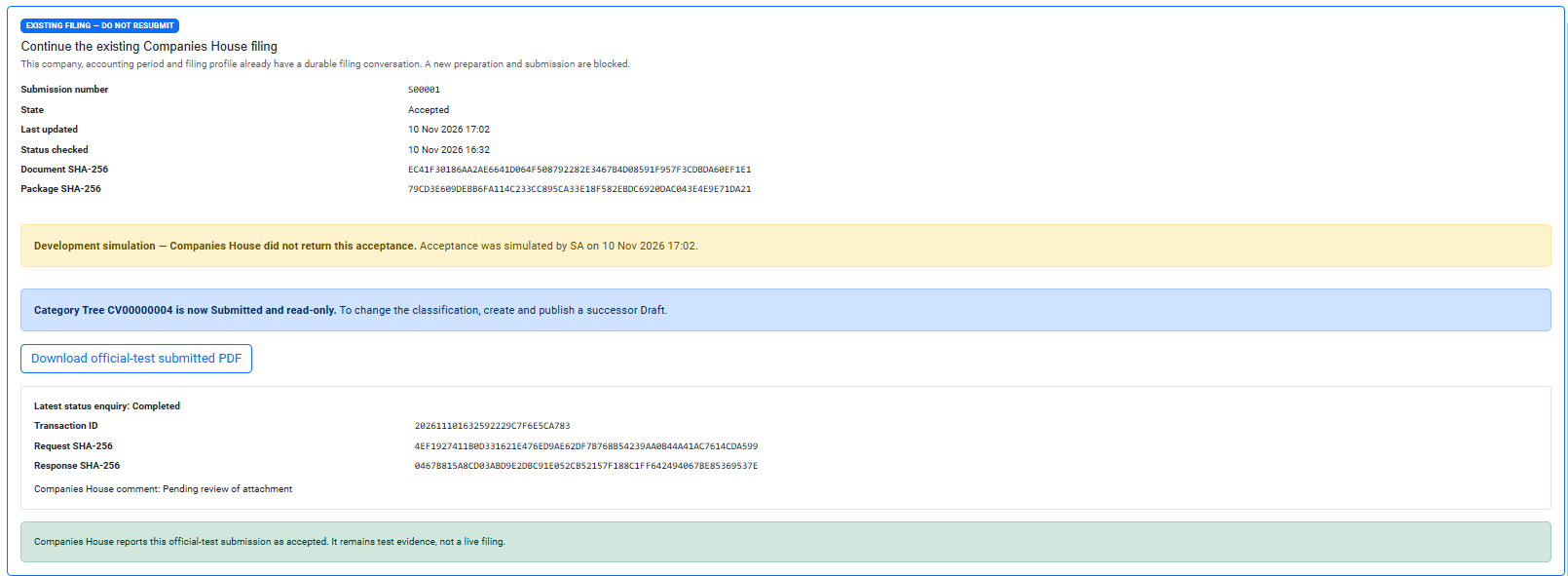
This is why a user cannot silently rewrite the classification behind filed VAT returns or company accounts.
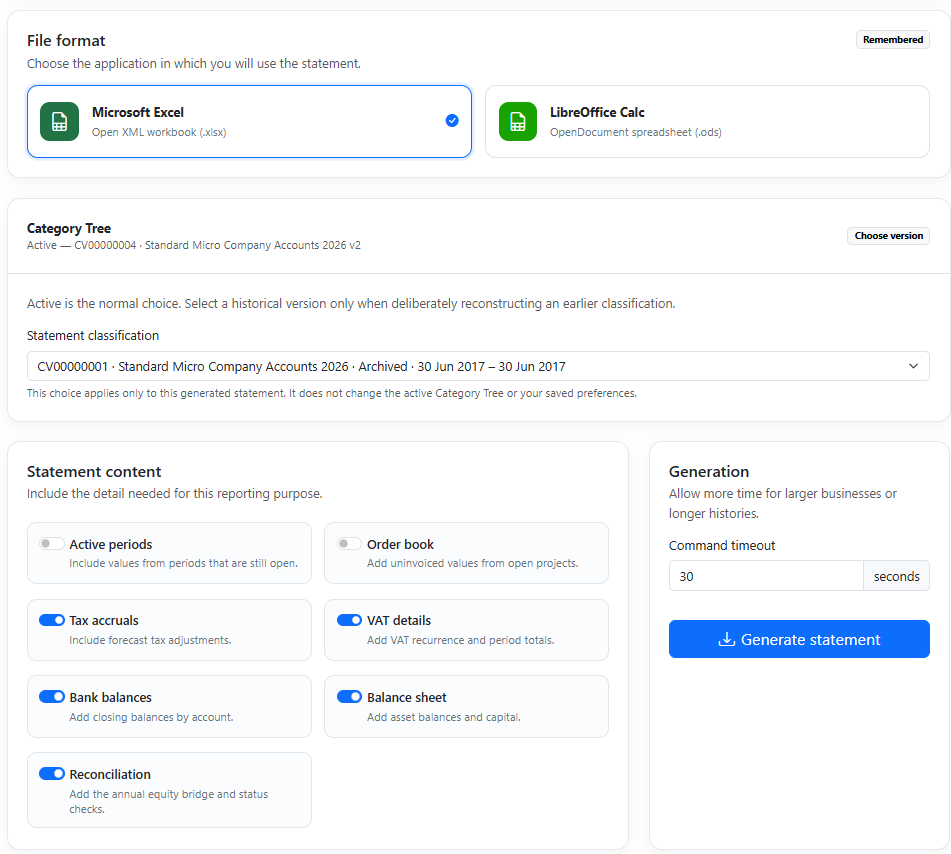
Most Cash Statements should use the active version, so the version selector is collapsed by default. Expand Category Tree version only when reconstructing or comparing a historical period. Drafts are never offered for ordinary statement generation.
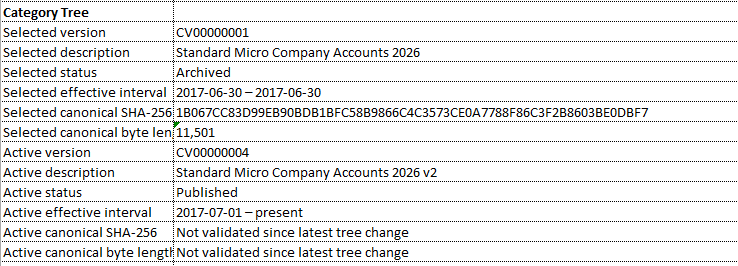
The Settings sheet records the selected and active version descriptions, statuses, effective intervals and canonical evidence.
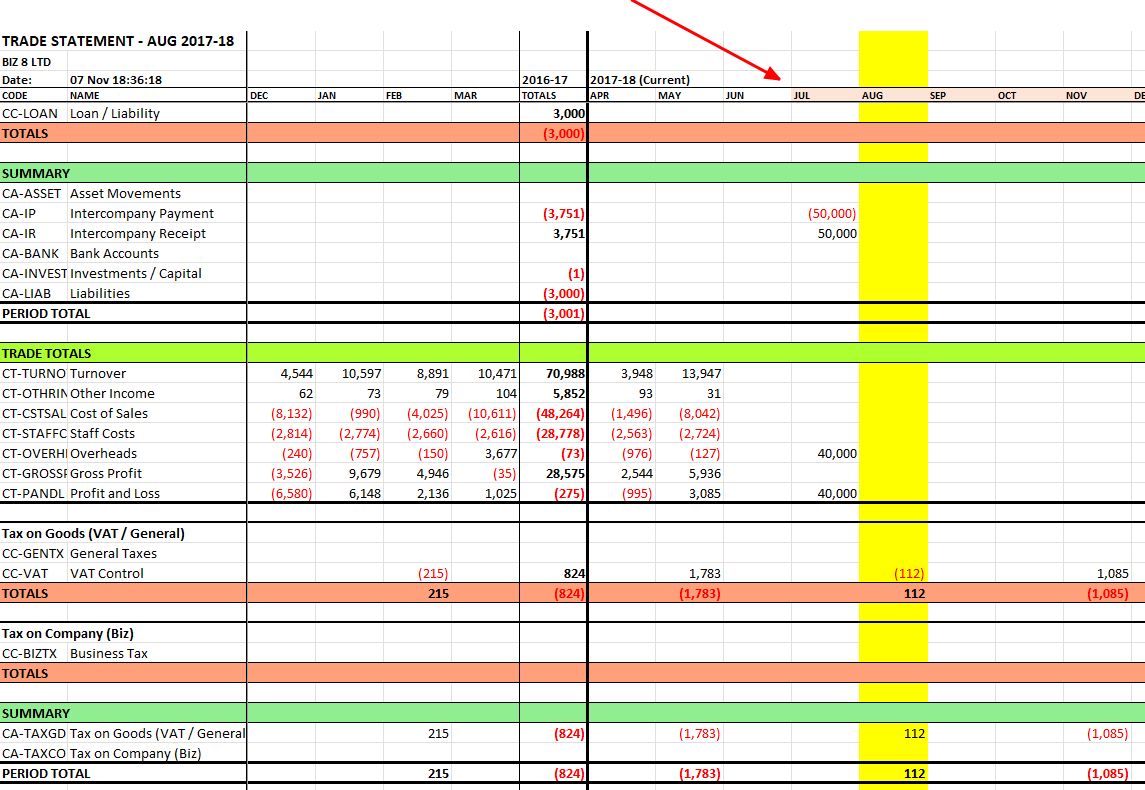
A light-orange period header warns when the chosen tree differs from the version applicable to that period. It is an explanation, not a silent version switch.
A historical version may omit a Cash Code introduced later. In that case the Equity Bridge can fail for periods beyond the version’s effective life. This is useful evidence: it exposes the classification gap rather than concealing it.

For day-to-day tree editing, continue with the Category Tree User Guide. For the reporting consequences, see Configuring the Cash Statement.


