Cash Statement Configuration
This page is for the people responsible for configuring the Cash Statement (often an accountant or finance lead). It explains how the Category Tree shapes the structure, totals, and computed lines of the Cash Statement.
Templates (optional, recommended for first setup)
The Cash Statement can be configured from scratch by building a Category Tree yourself. This is important: it means the statement is not a fixed report, and its structure can be audited and explained.
Most first-time setups will prefer a template as a starting point.
A template provides a working baseline:
- Categories with a conventional order (the statement “reads correctly”)
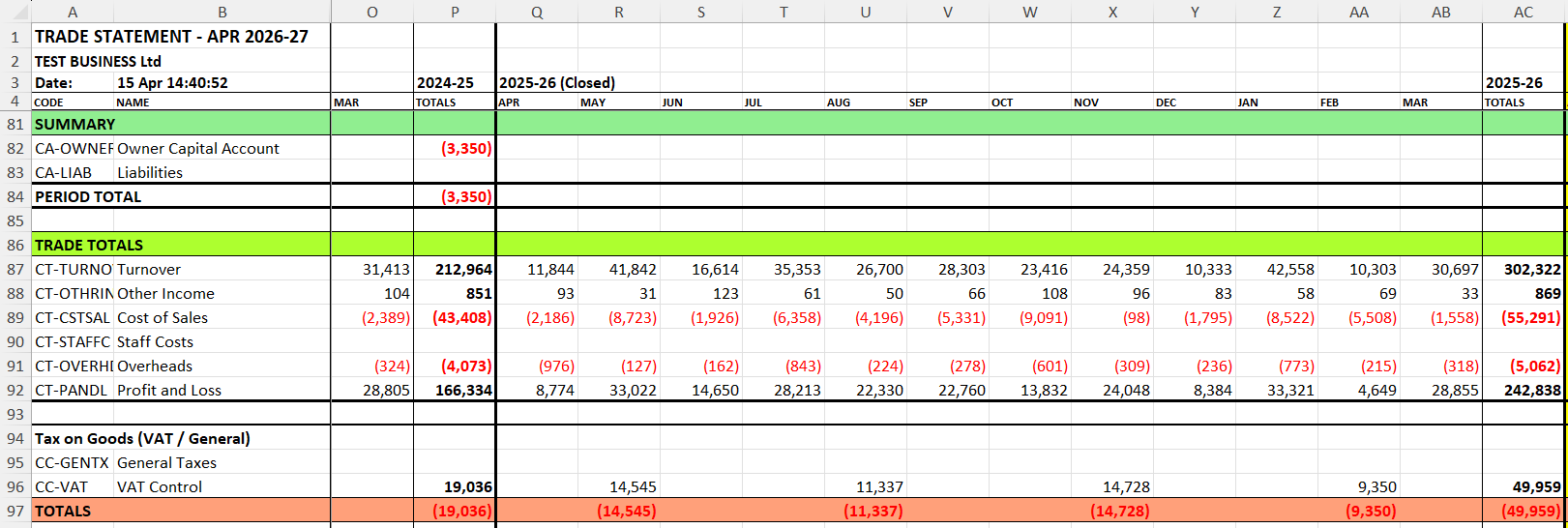
- Total Categories (rollups)
- Cash Codes mapped into Categories
- Standard anchors (for example, a net profit rollup and VAT grouping)
You can then tailor the structure to match your business without losing clarity.
See: Business Node Initialization → Templates for how templates are selected and what they install.
Reconciliation page (what it relies on)
The Reconciliation worksheet checks whether the annual equity bridge balances (PASS/WARN/FAIL).
It relies on:
- correct period structure (years and periods reflect your intended accounting periods)
- correct opening balances (if you use them)
- correct classification of owner movements (capital introduced / drawings) and their balance sheet treatment
- stable Category Tree behavior (totals/expressions should not change unexpectedly)
If the Reconciliation status is WARN or FAIL, do not change transactions first. Validate configuration and opening balances first.
Reconciliation checklist (WARN / FAIL)
Check the following:
- Opening balances.
Confirm opening balances exist only where intended (bank accounts, starting capital). Unexpected opening balances cause year 1 differences.
- Owner capital movements.
Confirm introduced capital and drawings are classified as owner/equity movements (not overhead costs).
- Balance sheet section enabled.
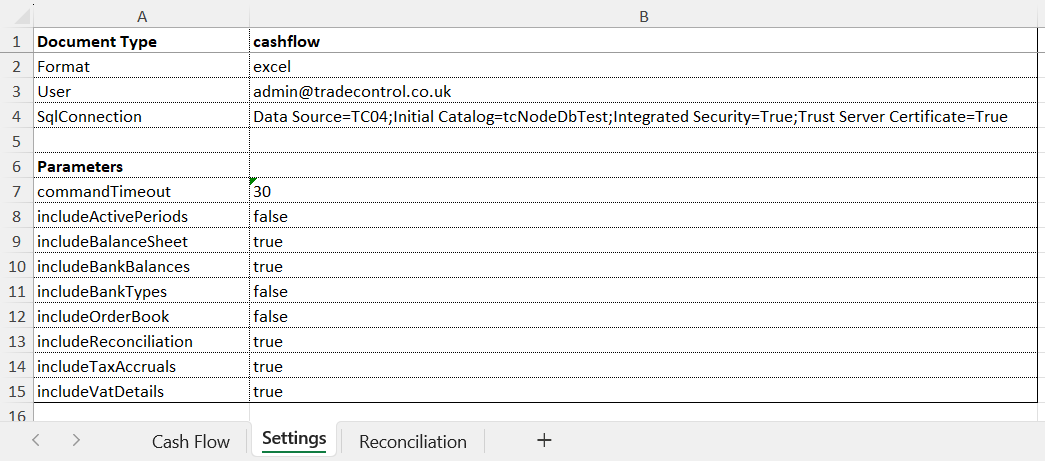
The reconciliation depends on capital movement (balance sheet bridge). Ensure you generate the statement with the Balance Sheet enabled as well.
- Backdated documents.
Confirm invoices and payments are dated in the correct period. Backdating is a common cause of differences.
- Category Tree changes.
Check whether cash codes or categories were moved after periods were posted/closed. Reclassifications can change historic results.
- Rebuild.
If figures were corrected in underlying data and the statement still shows old values, run a rebuild and regenerate the statement.
1) The building blocks
Cash Codes
A Cash Code is assigned to invoice lines (or to a project that produces invoice lines). Cash Codes are the smallest units the Cash Statement aggregates.
Each Cash Code belongs to exactly one Category.
- Source of truth:
Cash.tbCode → links CashCode → CategoryCode
Cash Statement Categories (three types)
A “Cash Statement Category” is a line/group definition in the tree. Categories come in three types:
- Category (Cash Code Category)
Holds Cash Codes directly. This is where “raw” values enter the statement.
- Total Category
A roll-up category that totals one or more child categories (and can roll up through multiple levels).
- Expression Category
A calculated line defined by an expression that references other categories.
You can think of these as: source lines, roll-up lines, and computed lines.
2) Ordering: how you control the narrative flow
The Cash Statement is designed to read in a meaningful sequence rather than as an alphabetical list.
You control this using each Category’s Display Order:
- Categories are printed in order, then their Cash Codes appear beneath them.
- This is what creates the statement’s “narrative”: you are telling a story about the business by choosing the sequence of categories.
Practical guidance:
- Put the most decision-relevant categories first (e.g., core sales/cost drivers).
- Keep tax-related categories grouped together.
- Avoid constant reordering; treat order as part of your reporting convention.
3) Polarity: how direction of money is interpreted
Each Category has a polarity:
- Expense (outflow)
- Income (inflow)
- Neutral
Polarity matters because it ensures the statement can remain structurally consistent while still expressing “what is good/bad” and “what direction this flow normally has”.
Polarity is also used by forecasting features (for example, when interpreting open work as “sales-like” vs “purchase-like” based on the Cash Code category it uses).
4) Total Categories: hierarchical roll-ups (recursive)
Total Categories are what make the Category Tree more than a flat list.
A Total Category defines a set of child Category Codes that contribute to it. Those children can themselves be Total Categories, allowing multi-level aggregation.
- Source of truth:
Cash.tbCategoryTotal (ParentCode → ChildCode)
- Notes:
- The system prevents cycles (a category cannot end up including itself via its descendants).
- Ordering inside a total can also be controlled (where supported), but the key point is: totals are driven by Category Code hierarchy, not hard-coded report lines.
What to use totals for:
- Subtotals that reflect how you want to explain performance (“Gross Margin”, “Operating Costs”, etc.)
- Tax rollups (corporation tax / VAT-related groupings)
- Any “headline” measure that should follow from your structure rather than from a fixed template
5) Expression Categories: calculated analysis lines
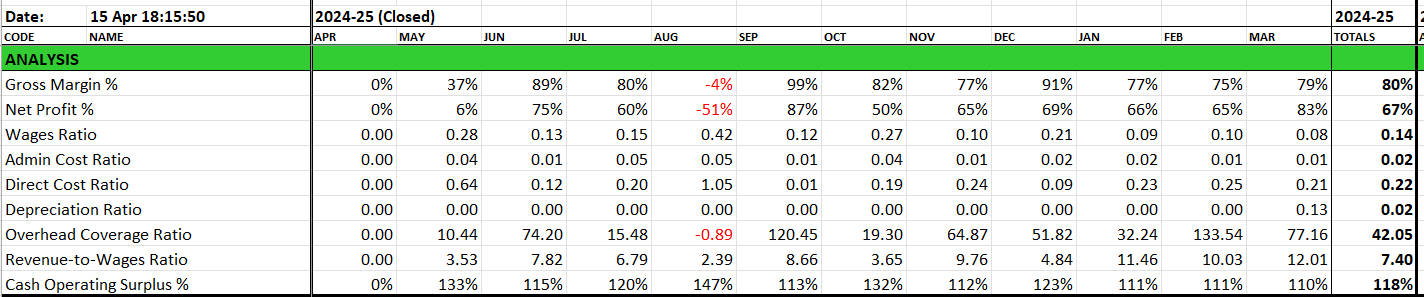
Expression Categories let you add calculated lines to the Cash Statement (for example margins or reconciliation checks) without changing any underlying transaction data. They define calculations that reference other categories or expressions.
- Source of truth:
- Category definition in
Cash.tbCategory (type = Expression)
- Expression body + formatting in
Cash.tbCategoryExp
Expressions are useful for:
- “What-if” analysis lines
- Ratios or derived measures in statement terms
- Reconciling custom totals without creating more tree nodes
Important behavior:
- Expressions reference categories by name/code tokens (the statement resolves these to category codes and then to values).
- Expressions can be validated; errors are stored with the expression so the configuration owner can correct them.
Key points:
- Expressions are computed from other categories, so they reflect your Category Tree structure.
- They are best treated as an analysis layer: useful for insight, but not required for a valid statement.
- If an expression cannot be evaluated (for example due to missing references or syntax), it will be flagged so it can be corrected.
See: Category Tree → Expressions (how to create and register expressions).
6) Tax and statutory-like sections: where recursion applies
Not every line in the Cash Statement is a tree node.
However, the statement includes sections whose values are derived from hierarchies of Category Codes, notably:
- Total Categories (general roll-up)
- VAT-related roll-ups
- Corporation tax-related roll-ups
- Expression Categories (dependencies between nodes)
This is why two users can generate different Cash Statements from the same underlying invoices: they are not changing the transactions—only the meaning structure used to interpret and group them.
7) Configuration checklist (recommended)
Before using the Cash Statement for decision making:
- Do all Cash Codes map to the intended Categories?
- Is the category order stable and intentional?
- Are Total Categories correctly grouped and cycle-free?
- Do Expression Categories evaluate cleanly (no errors)?
- Are tax-related categories grouped consistently (VAT/corp tax)?
Next: Examples
See: Cash Statement Examples provides practical advice on interpreting the Cash Statement output.