Admin Manager - Tax Configuration

Tax Configuration is where you define how Trade Control calculates and reports tax.

This module is intended for Administrators (and some actions are available to Managers, depending on role).

It covers three areas:

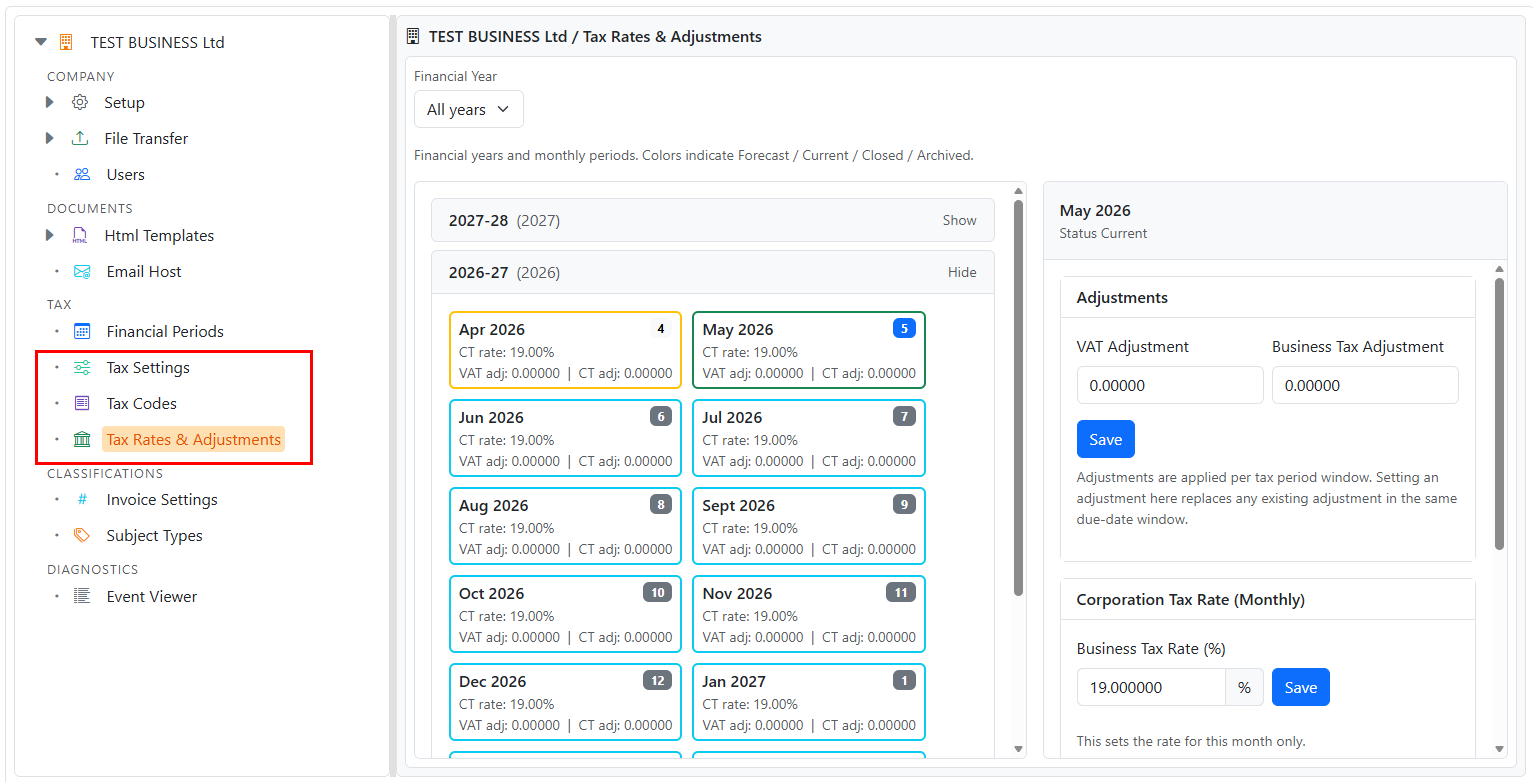
Admin Manager tree showing Tax Settings, Tax Codes, and Tax Rates & Adjustments

Access

Open:

On desktop, modules open in the right-hand pane (embedded). On mobile devices, modules open as full pages.


1) Tax Settings

Tax Settings defines the scheduling rules for each tax type (for example: when VAT is due, or how corporation tax periods align to the financial year).

Open:

Tax Settings index showing configured tax types and actions

View settings (Details)

  1. Select Details for a tax type.
  2. Review:
    • Posting behavior (cash code / description)
    • Recurrence rules (e.g., quarterly VAT)
    • Due month and offset days
    • Default subject (where applicable)
Tax Settings details page

Edit settings (Administrator)

  1. Select Edit.
  2. Make changes.
  3. Select Update.
Tax Settings edit page

2) Tax Codes

Tax Codes define VAT behaviors (rate/rounding/type) and are referenced by invoices, orders, and other tax-sensitive transactions.

Open:

Tax Codes index page showing tax codes list

Create a tax code

  1. Select New Tax Code.
  2. Enter a description.
  3. Optional: select Generate to suggest a code.
  4. Enter:
    • Tax type
    • Rounding
    • Tax rate (%)
    • Decimals
  5. Select Create.
Create Tax Code page showing editable code, percent tax rate input, and rounding/type selectors

Edit a tax code (immutability warning)

Tax codes should not be changed retrospectively if they have been used historically.

If a VAT rate changes, you normally create a new tax code rather than modifying an old one, since historic tax results can be recalculated from the origin transactions.

Edit Tax Code page showing the immutability warning and read-only tax code

3) Tax Rates & Adjustments

Tax Rates & Adjustments is where you maintain:

Open:

Tax Rates & Adjustments index with year list and period tiles

Select a financial year

Use the Financial Year selector to filter the list and automatically expand that year.

Open a period

  1. Select a month/period tile.
  2. The Period page lets you:
    • Set VAT adjustment for the relevant VAT window
    • Set corporation tax adjustment for the relevant corporation tax window
    • Set the corporation tax rate for that month only
Tax period page showing adjustments and monthly corporation tax rate sections

Set corporation tax rate by date range

Use Set by date range to apply a rate across multiple months.

  1. From a Period page, select Set by date range.
  2. Enter Start date and End date.
  3. Enter the tax rate as a percentage (for example: 25 for 25%).
  4. Select Set rate.
Set corporation tax rate by date range page