Category Tree — Getting Around
A quick orientation for using and understanding the Category Tree. This page links the “what/how” User Guide and the deeper “how it works” Technical Guide.
Overview
The Category Tree is where you configure your business structure: Totals (roll-ups), Categories (folders), Cash Codes (leaves), and Expressions (derived metrics).
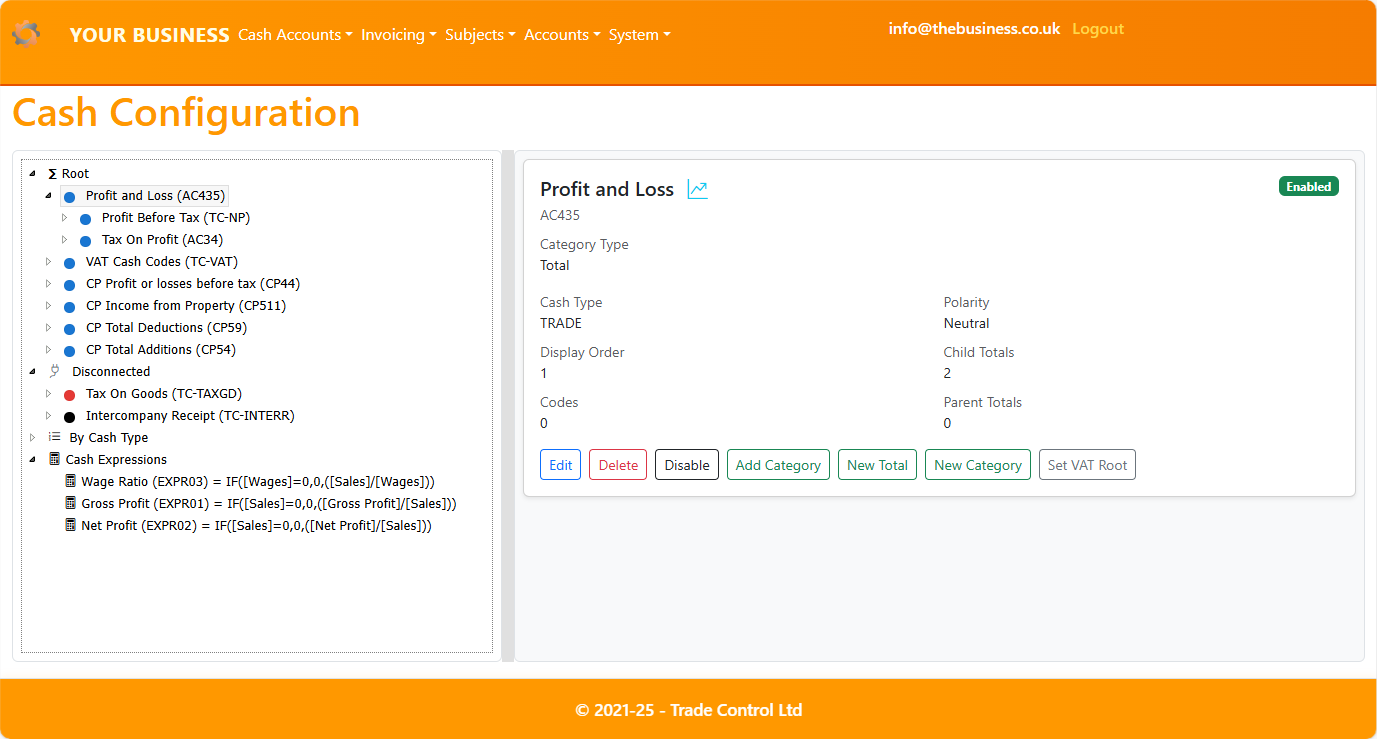
- Desktop: split layout with Tree on the left and Details/Forms on the right.
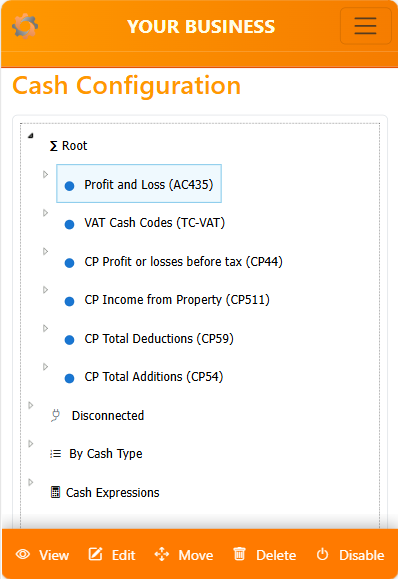
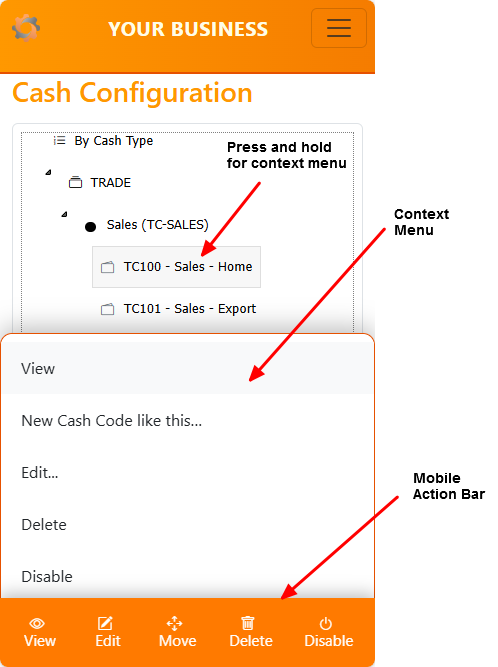
- Mobile: single pane with a context-aware action bar.
Jump to:
Common tasks
- Map Disconnected categories:
- Create core Totals:
- Add Cash Codes:
- Define Expressions:
Page anatomy
- Tree (left):
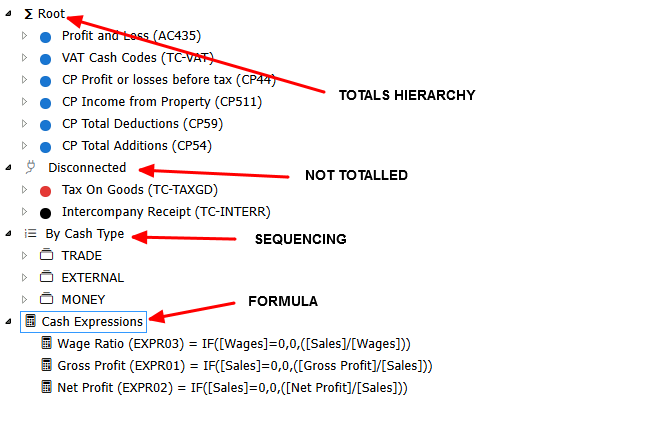
- Nodes:
- Root (
__ROOT__): your main hierarchy
- Disconnected (
__DISCONNECTED__): unmapped categories
- Types (synthetic
type:<code>): per Cash Type browsing
- Expressions (
__EXPRESSIONS__): derived metrics
- Screenshot:
-
- Details pane (right, desktop):
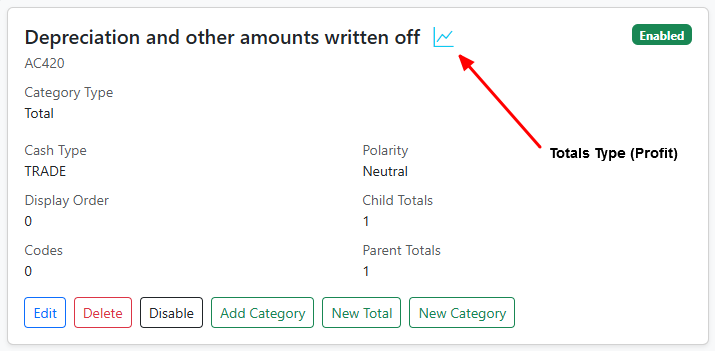
- Shows context actions and edit/view forms.
- Embedded mode (
embed=1) avoids full-page reloads and preserves selection.
- Screenshot:
-
- Mobile action bar:
- Context-aware buttons (View always; Edit/Delete/Toggle/Move if admin and applicable).
Navigation basics
- Select and view:
- Click/tap a node to load details. Desktop loads in the right pane; mobile navigates to a full page.
- Expand/collapse:
- Click folders or use keyboard (desktop): Left to collapse, Right to expand.
- Context menu:
- Desktop: right-click a node. Mobile: long press (500 ms).
- Quick deep links:
- URLs support
?select=<key>&expand=<parentKey> for post-create navigation and bookmarks.
- Example:
...?select=code:ABC123&expand=Sales
For keyboard and drag/drop rules (admin): see Technical Guide — Reorder mechanics.
Tips
- Start at Disconnected to tidy unmapped categories.
- Keep names short and consistent (Sales/Direct/Indirect).
- Prefer Disable over Delete while iterating.
- Use “New Cash Code like this…” to speed consistent setup.
- Add 2–3 Expressions (e.g., Gross Profit %) to make reports immediately useful.
Where to learn more
- Business-first overview and step-by-step configuration:
- Detailed mechanics (roles, handlers, antiforgery, shortcuts, JSON responses):